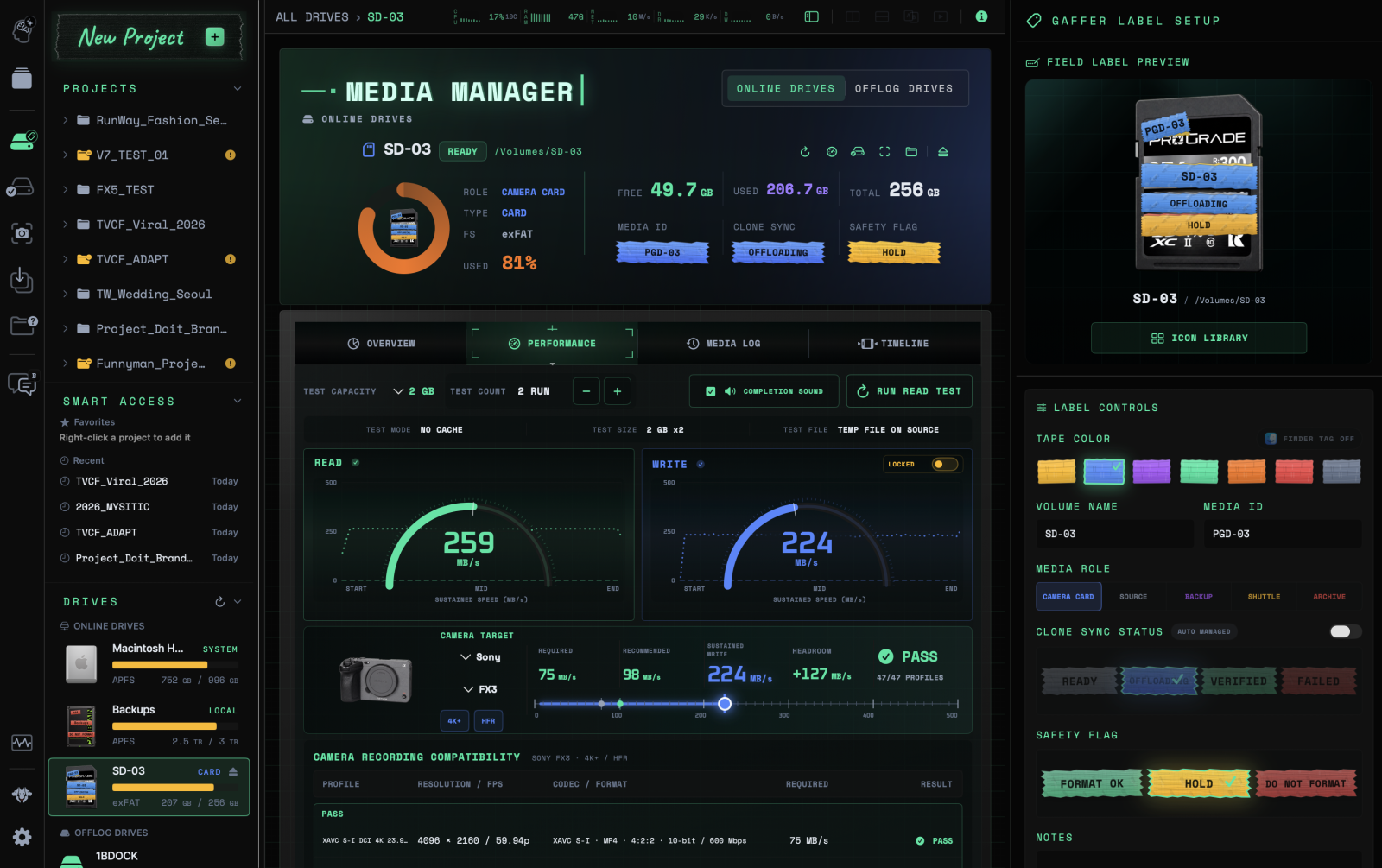
On-set Dashboard
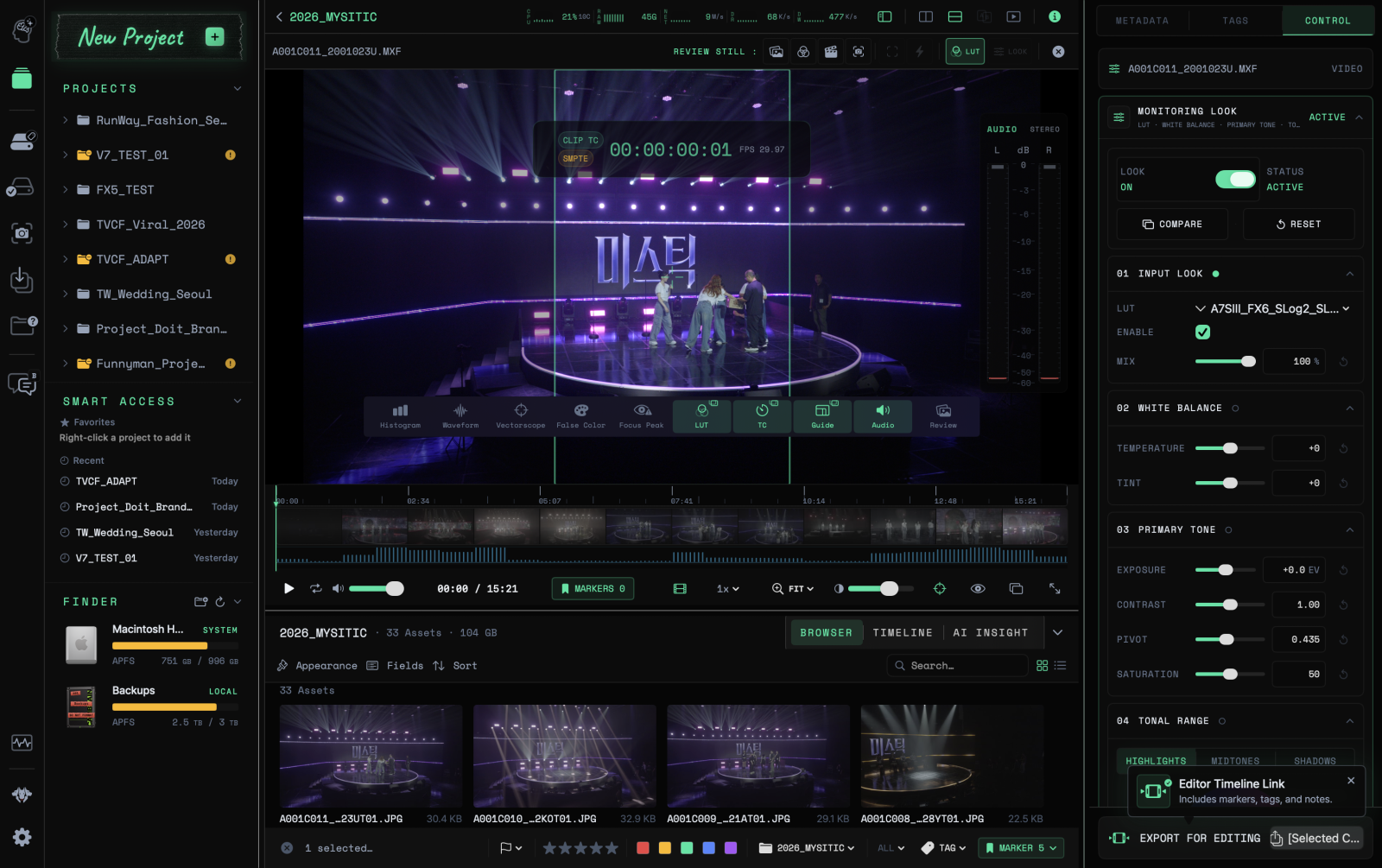
See projects, storage, and backup progress in one screen. Get the on-set information you need from shoot preparation through completion.
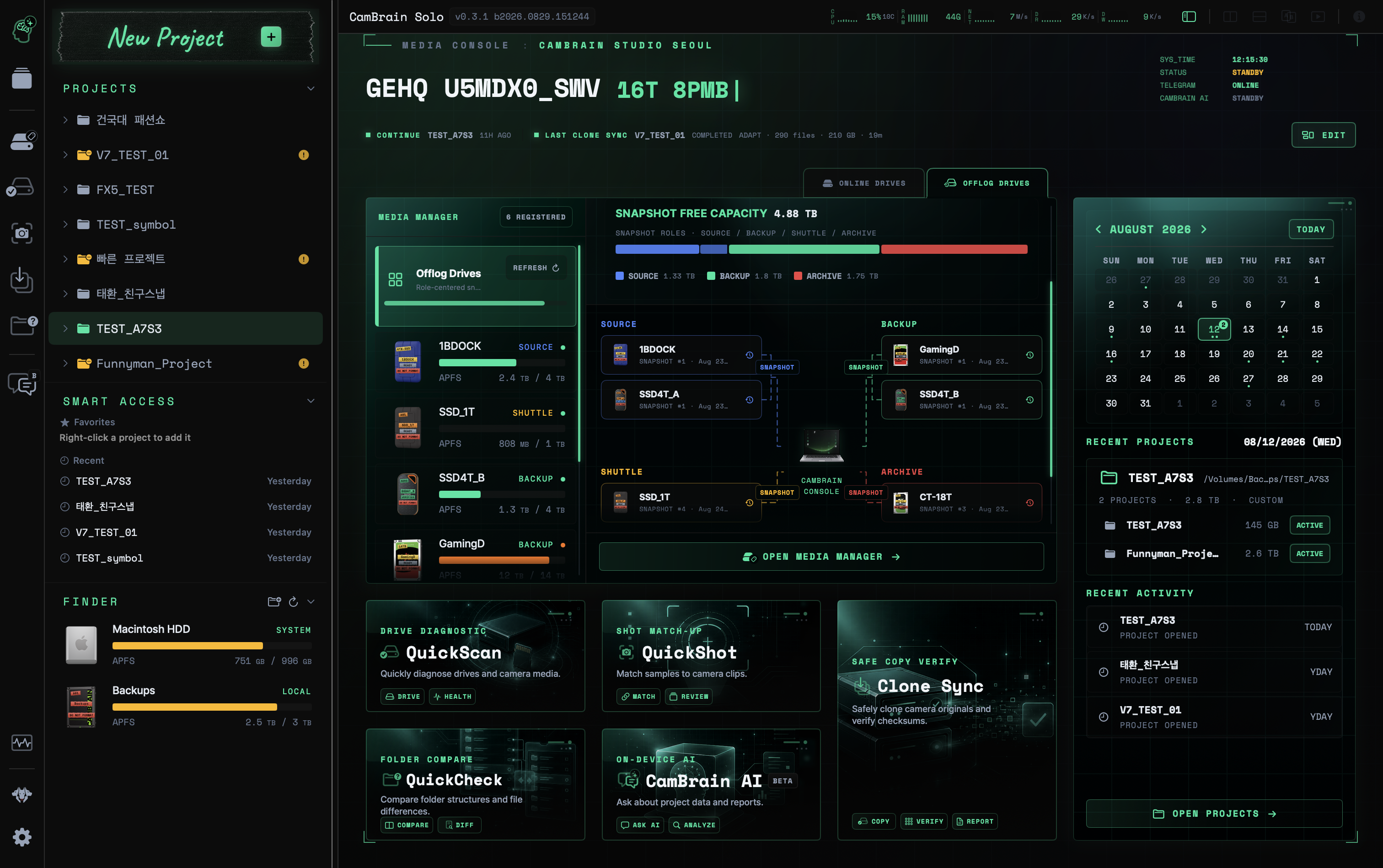
CamBrain Solo
A production console for solo filmmakers and small crews
From shoot prep to backup and verification, footage review, notes and editorial handoff. — On your own.



















Compatibility varies by model and format.
 SOLO WORKFLOW
An in-house system refined on productions for Netflix Originals, Apple TV+ and Disney+, redesigned for solo filmmakers.
04 편집 연결
마커·태그·프로젝트 메모를 담아, 리포트와 편집용 XML로 내보내고, 편집 타임라인에서 작업을 이어갑니다.
CREATOR INTERVIEWS
Taehwan Jung
프리랜서 촬영감독 · 스튜디오 시간교
FEATURES
From shoot prep to multi-destination backup, verification and LUT review. Find the tools for each job in one place.
View plansSee projects, storage, and backup progress in one screen. Get the on-set information you need from shoot preparation through completion.
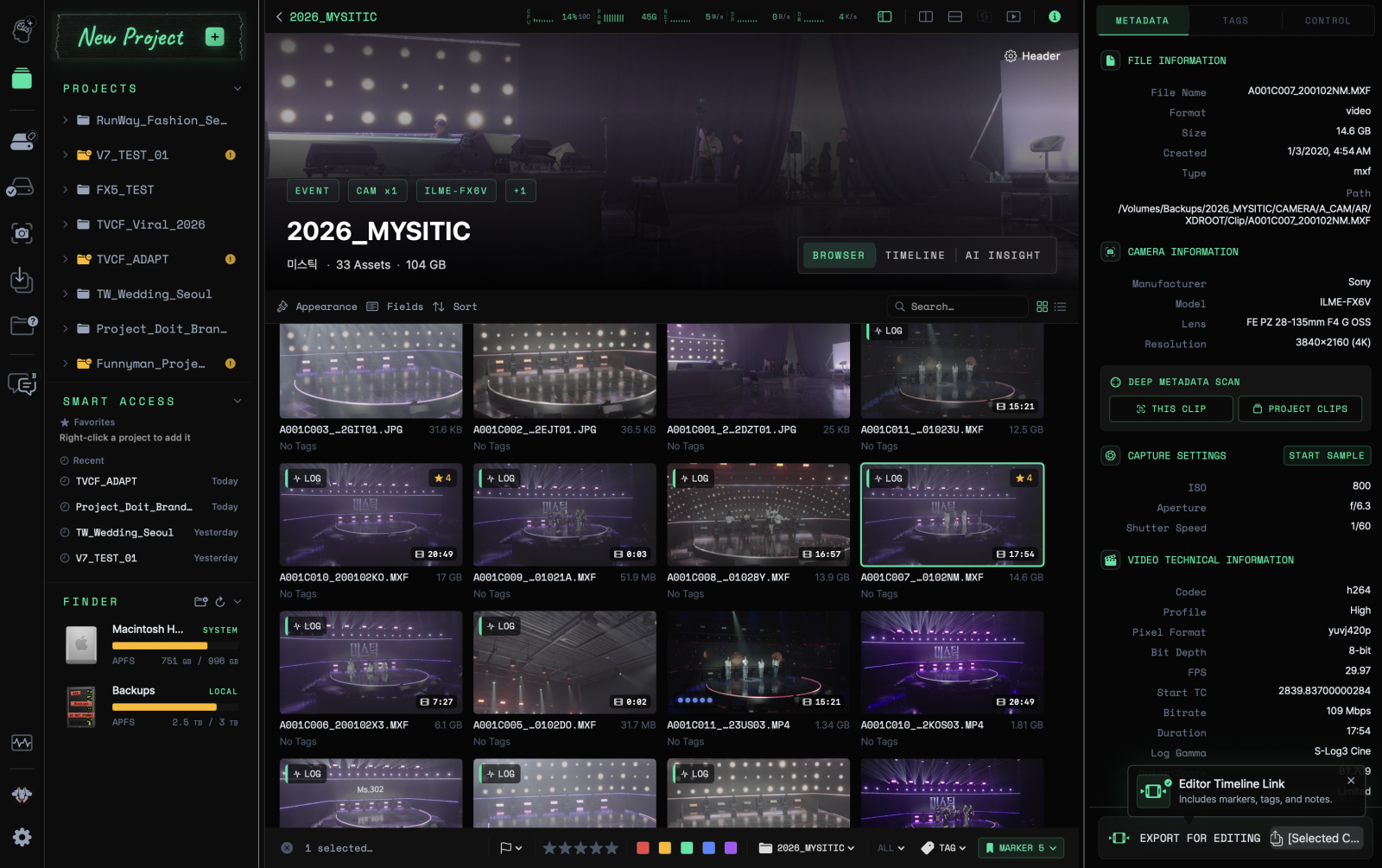
Review footage with LUTs and scopes, and compare two clips. Add tags, markers, and notes, then export them as editing XML for post-production.
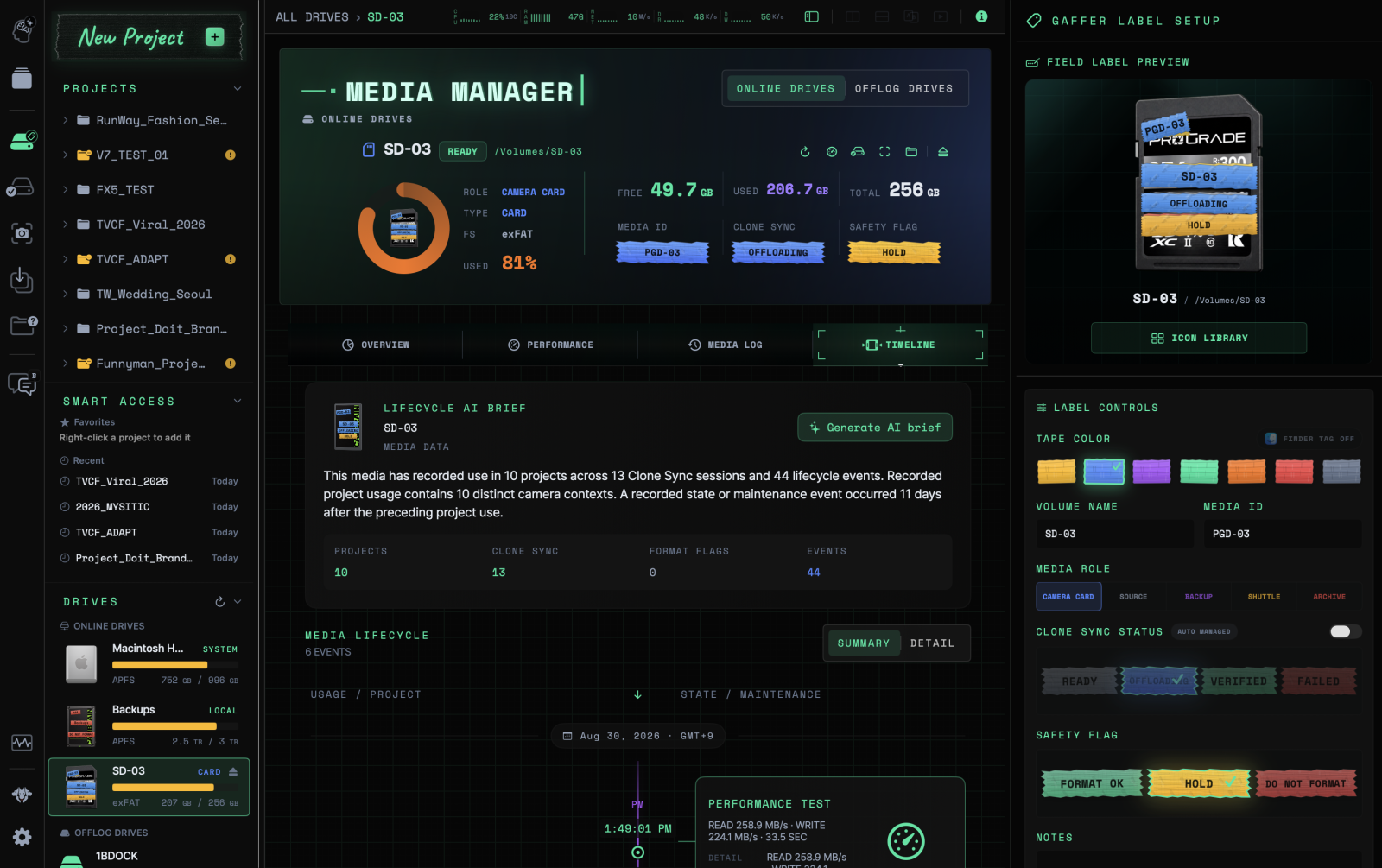
Check card and drive capacity, roles, and backup history. Use gaffer labels and icons to identify media and prepare for the next shoot.
Search file lists and folder structures from disconnected drives. Locate footage without reconnecting drives one by one.
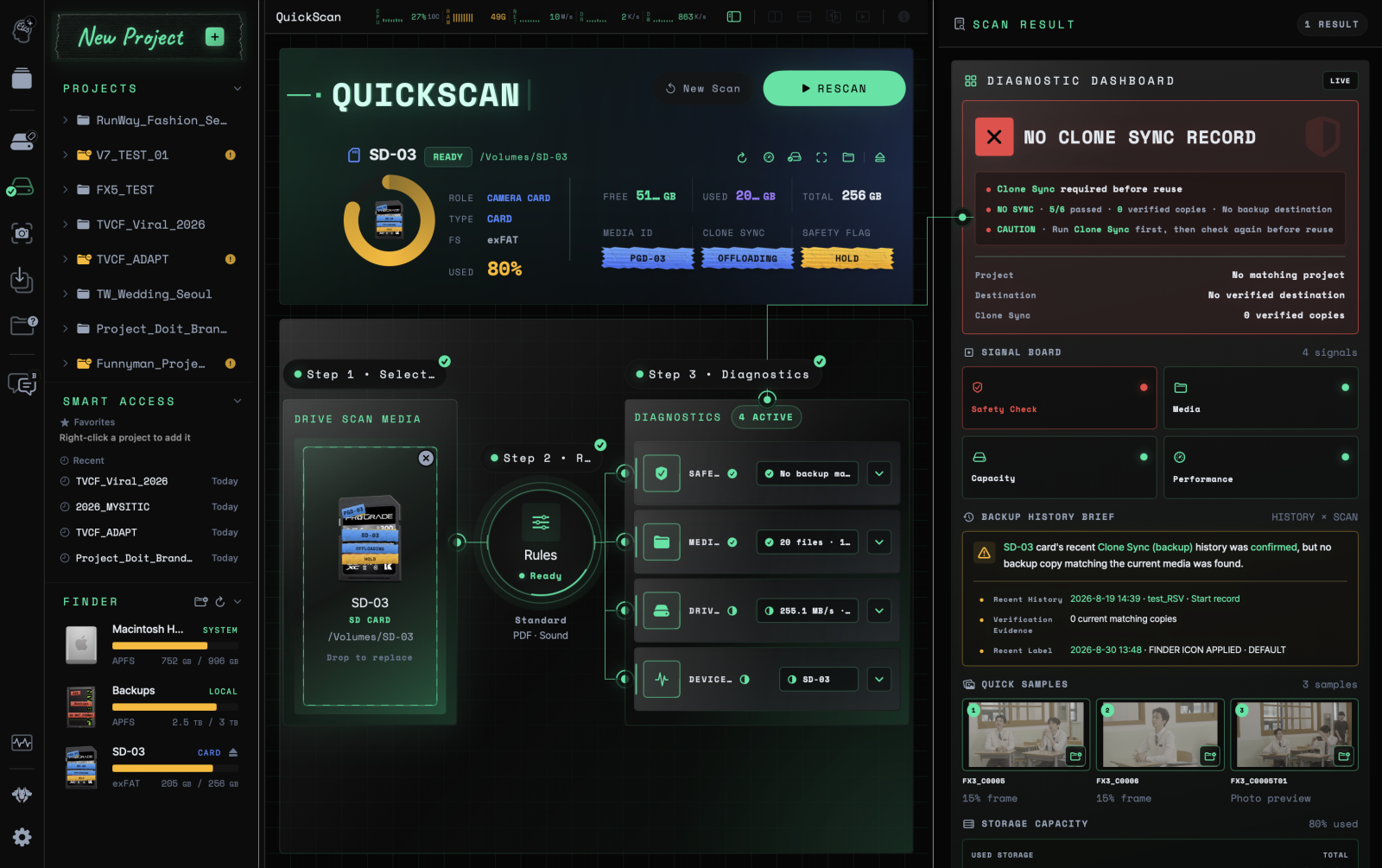
Compare files remaining on the card with backup records. Review recent verification records and flagged items to decide within 30 seconds whether the card is safe to reuse.
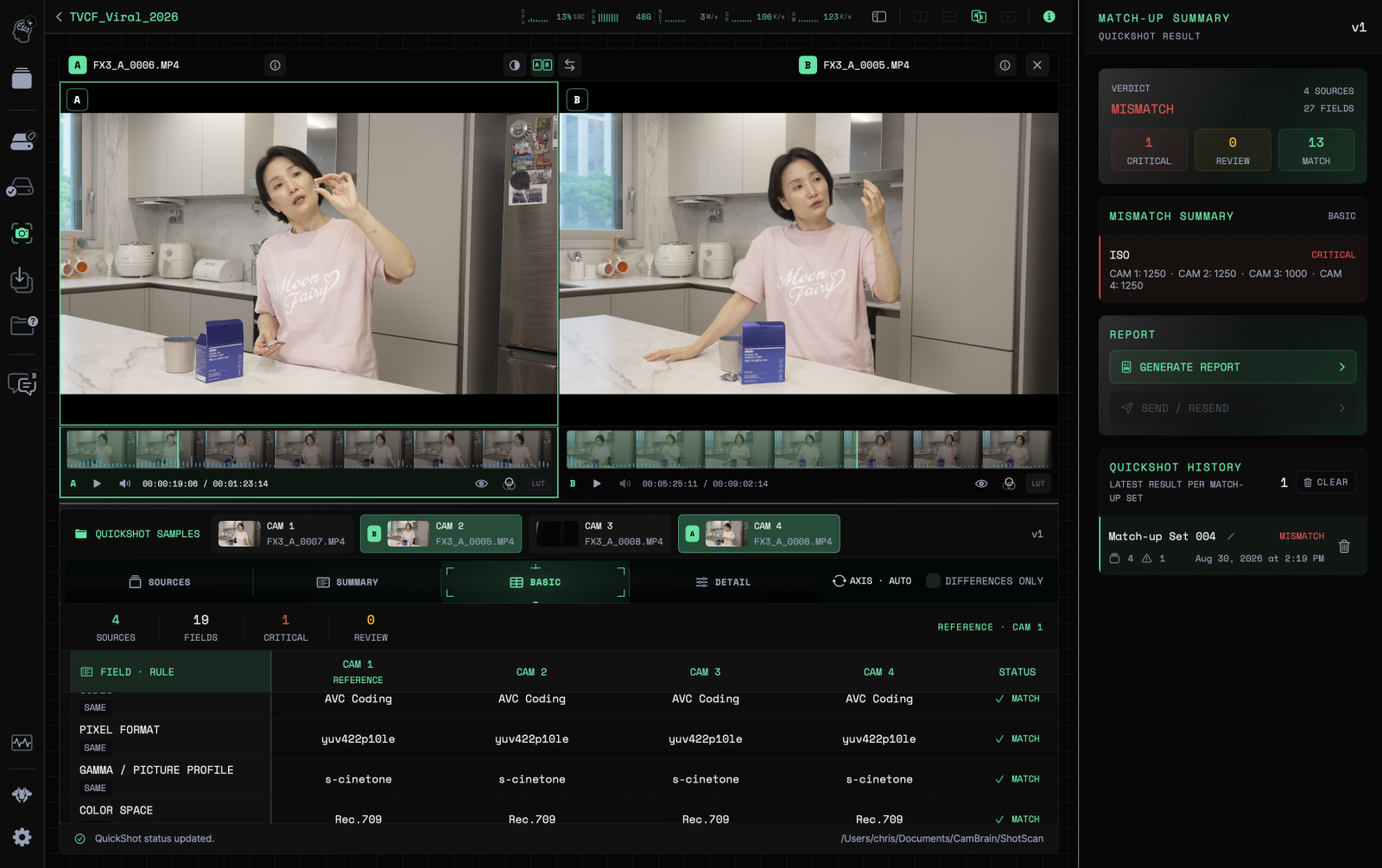
Compare frame rates and resolutions using test clips from multiple cameras. Find setting differences and check the footage before the shoot.
Back up to up to three destinations and verify copies with checksums. Get real-time alerts for unusual files such as RSV, and keep the results in a report.
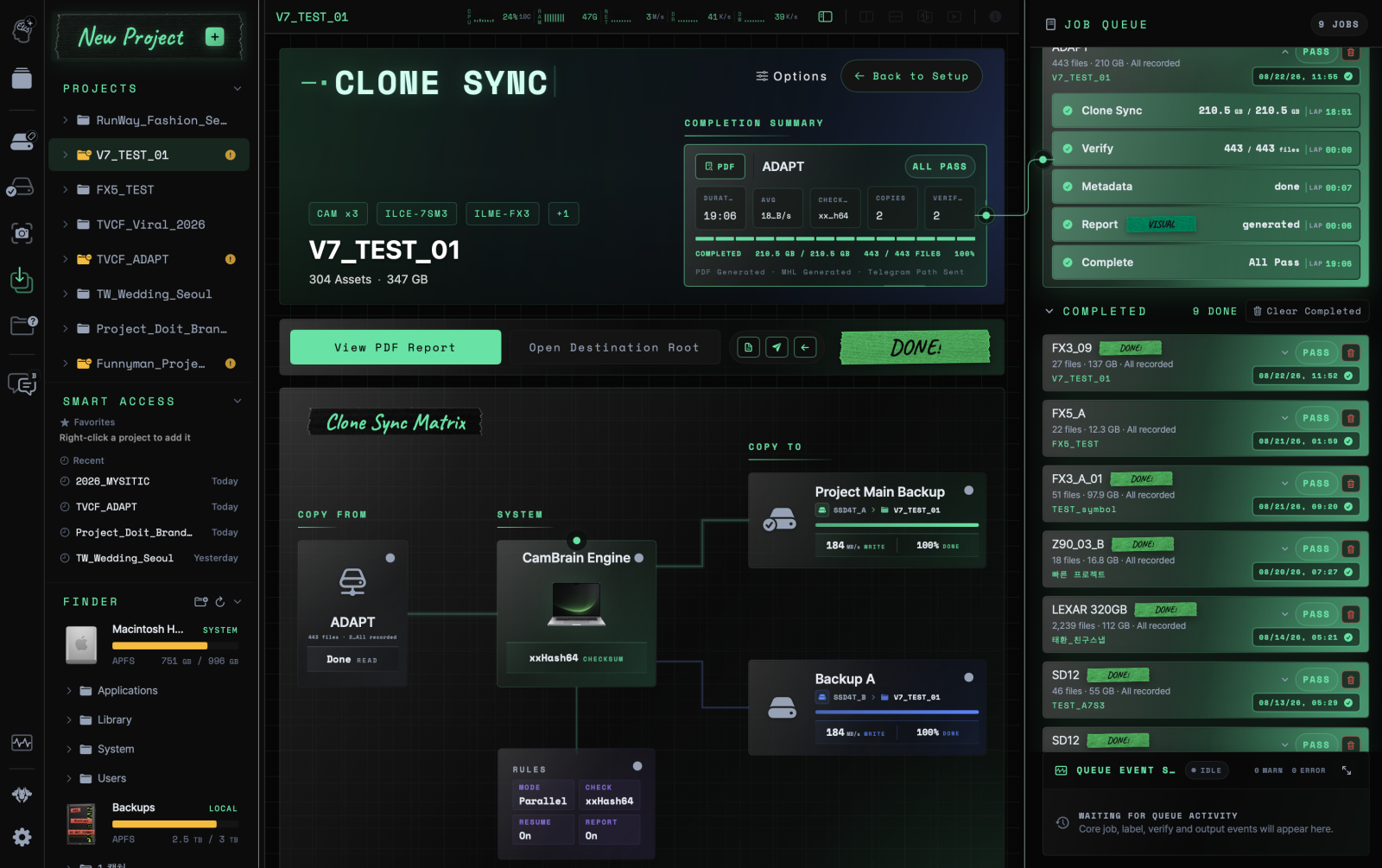
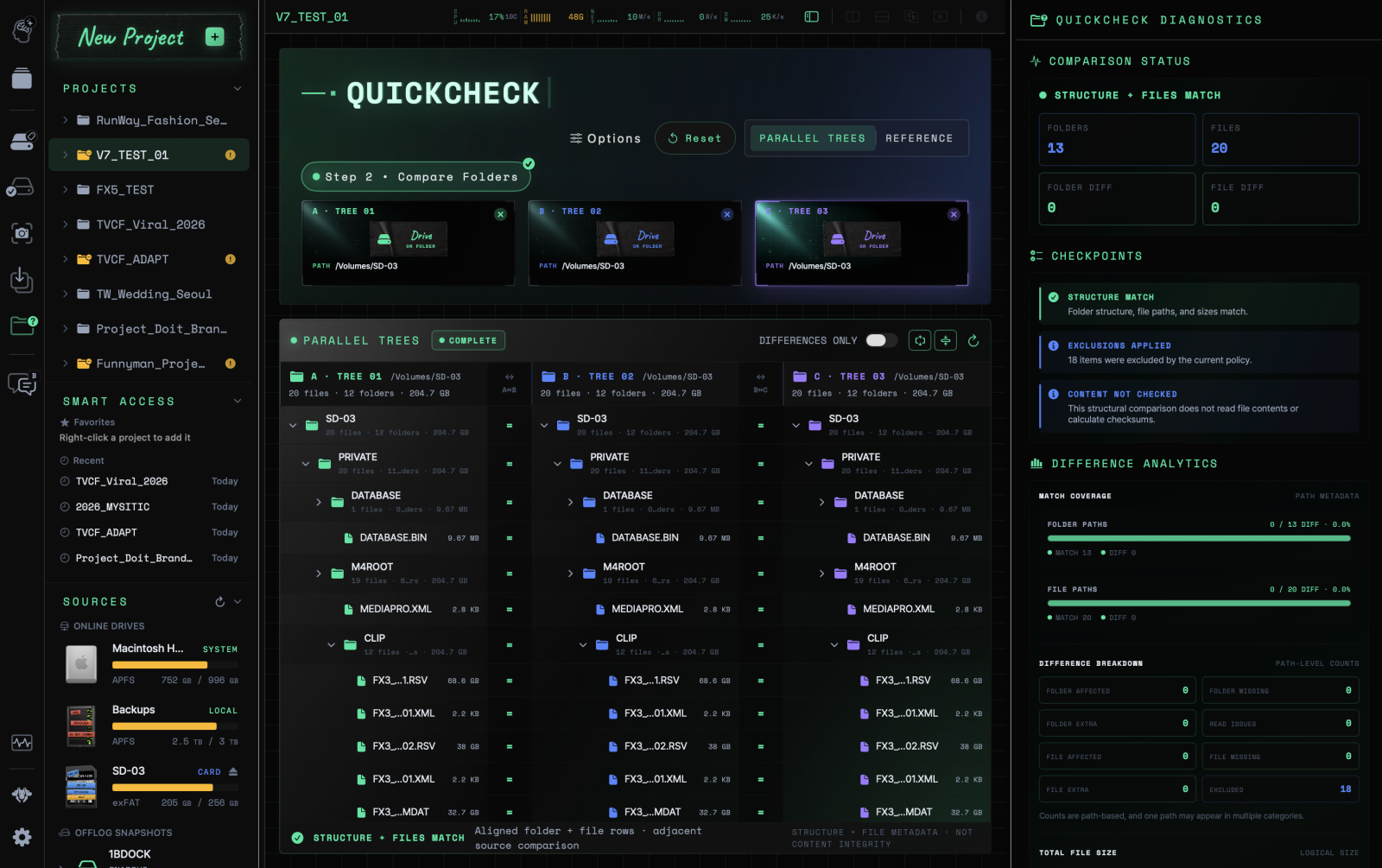
Compare file names, sizes, and folder structures to find missing files and differences. Check backup contents using connected folders and Offlog records.
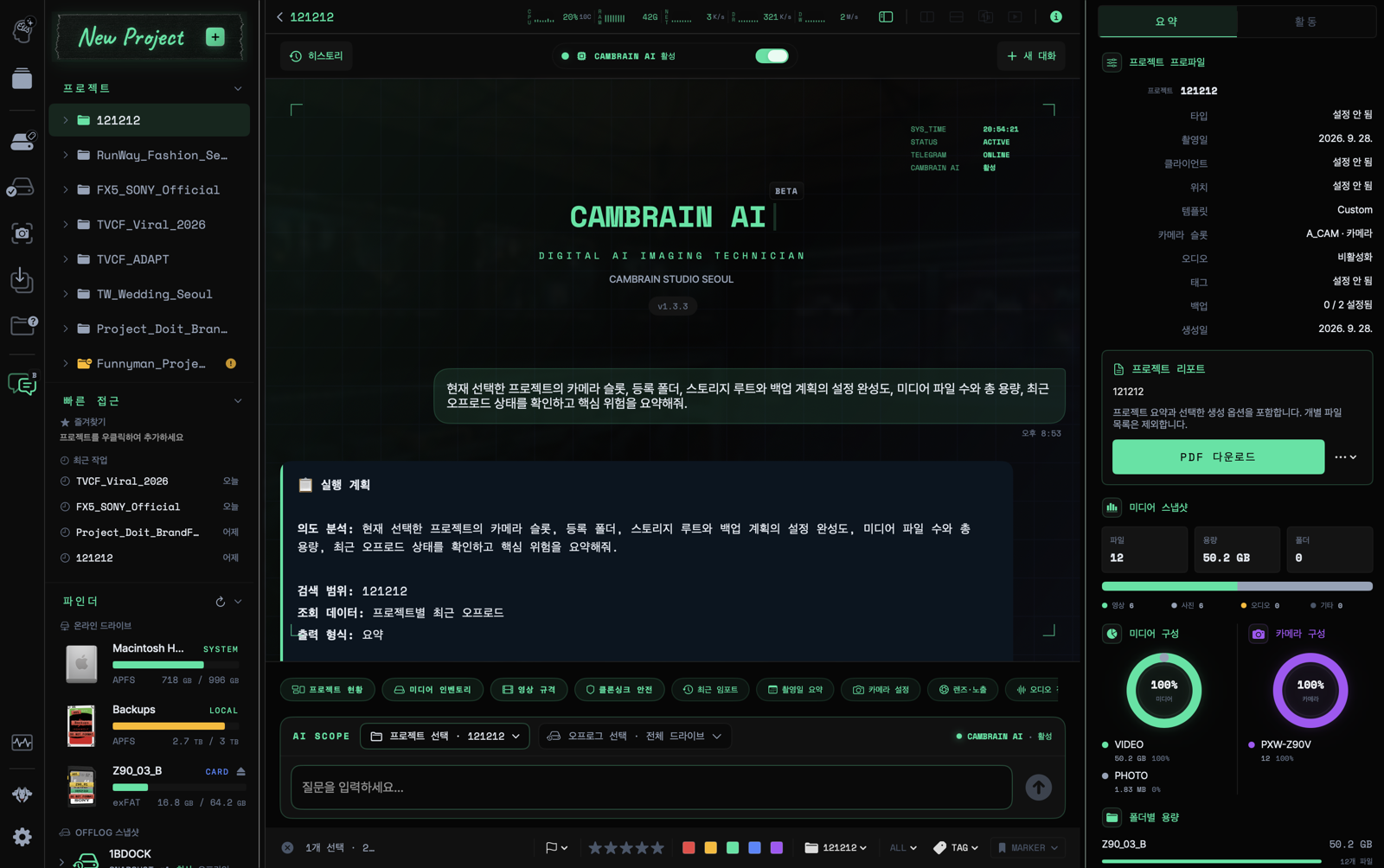
Ask about projects, footage, and backup records in natural language. See answers with supporting records, and ask questions through Telegram too.
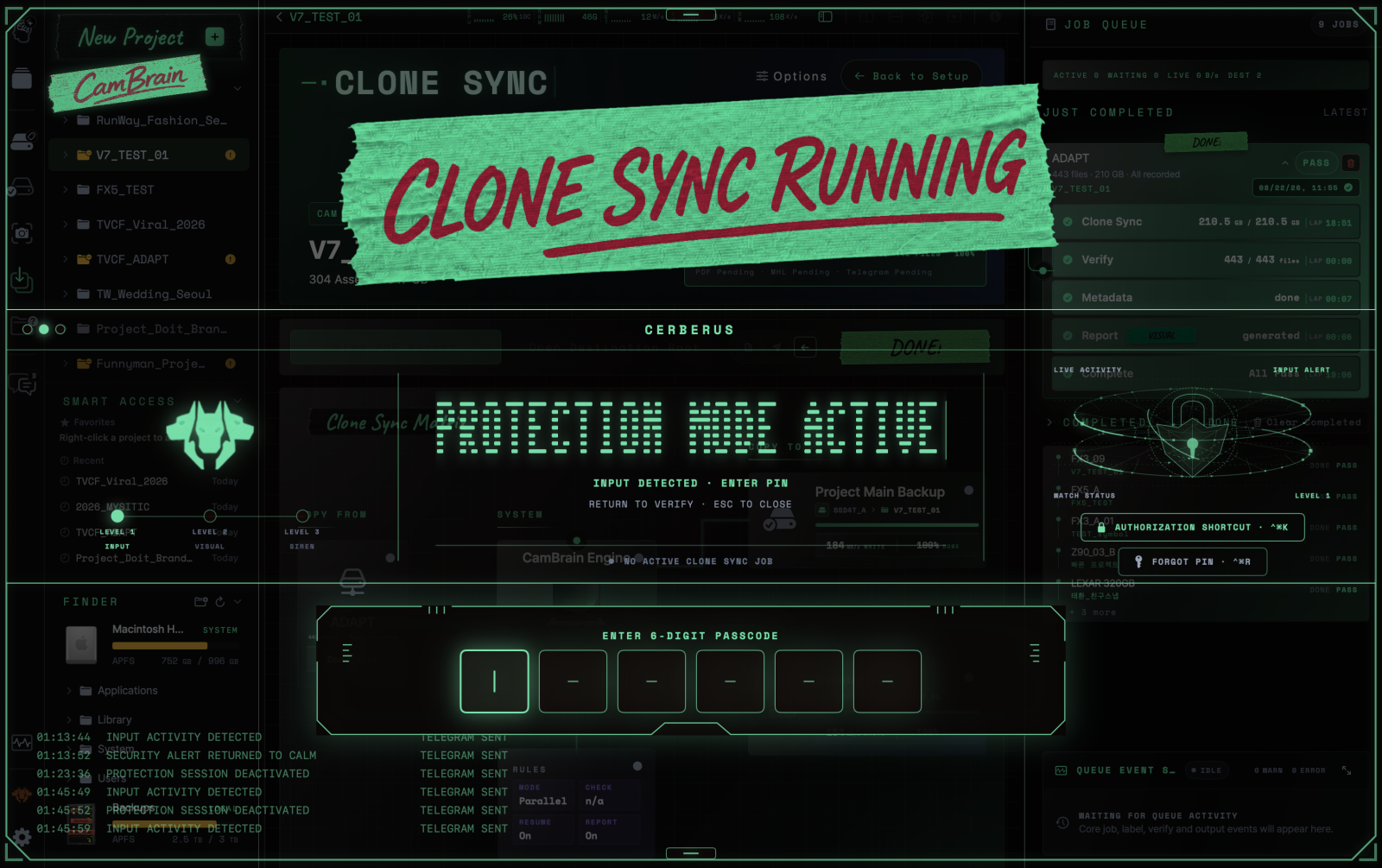
Lock input on your on-set Mac while you are away to protect ongoing work. Check security status and alerts on mobile, then authenticate on the Mac to unlock it.
ONE CONSOLE. FULL CONTROL.
Compare clips side by side to check for differences in camera settings.
Compare clips side by side to check for differences in camera settings.
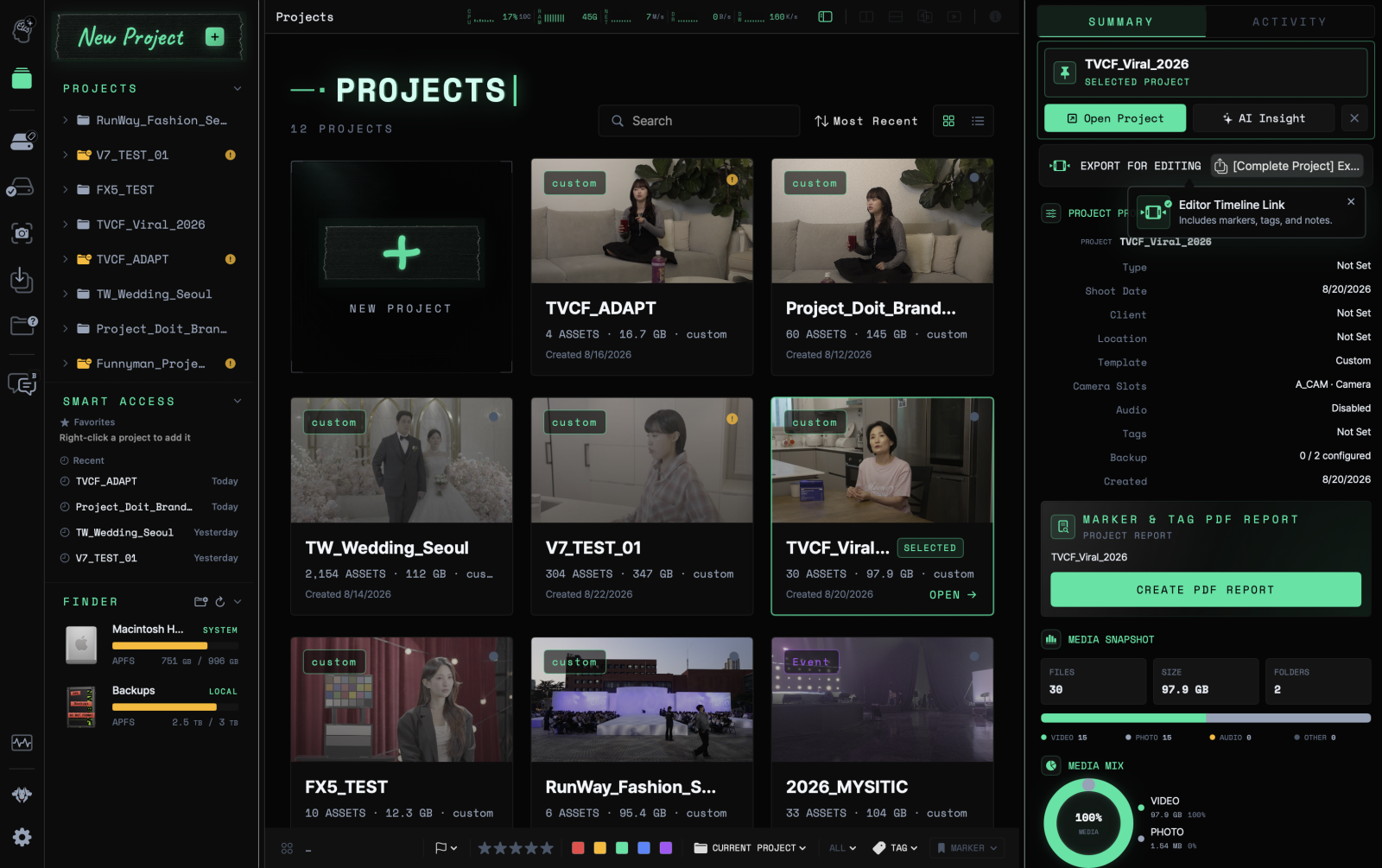
Project summaries, tags and markers, media checks and backup verification results. Bring the records together in reports and hand them over to the next person.
See key project details and work records at a glance. Summarize progress on set and organize what needs to be handed over.
 Sentry issues
 Hoplite
DATA CARE
Copy your footage, verify the results and keep a record. Bring the checks you need on set into one workflow.
Back up to up to 3 destinations
Copy footage to up to three storage destinations and check progress for each.
Go beyond copying. Verify.
Verify copies against the originals and review files that need attention.
Detect RSV files during backup
Get real-time alerts for unusual files such as RSV during backup. Check on set, before you reach the edit suite.
Hand over the backup results too
Summarize backup locations and verification results in a report for the next person.