PROFESSIONAL DIT HOUSE · MEDIA WORKFLOW SOFTWARE

Professional media operations,on the solo creator's Mac.

CAMBRAIN inc. is a Professional DIT House & Media Workflow Software Company. CamBrain Solo brings field-tested operating principles to solo video creators and media creators in a native macOS media operations console that connects copy, verification, review, records, and handoff.

Payments on this site are exclusively for CamBrain Solo app licenses: monthly subscriptions, annual subscriptions and perpetual licenses. DIT services, on-site work and consulting are not included.

ENTITY
Corporation
DOMAIN
cambrain.app
PLATFORM
macOS native
HEADQUARTERS
Seoul, KR
CAMBRAIN SOLO / PRODUCT INTERFACENATIVE macOS
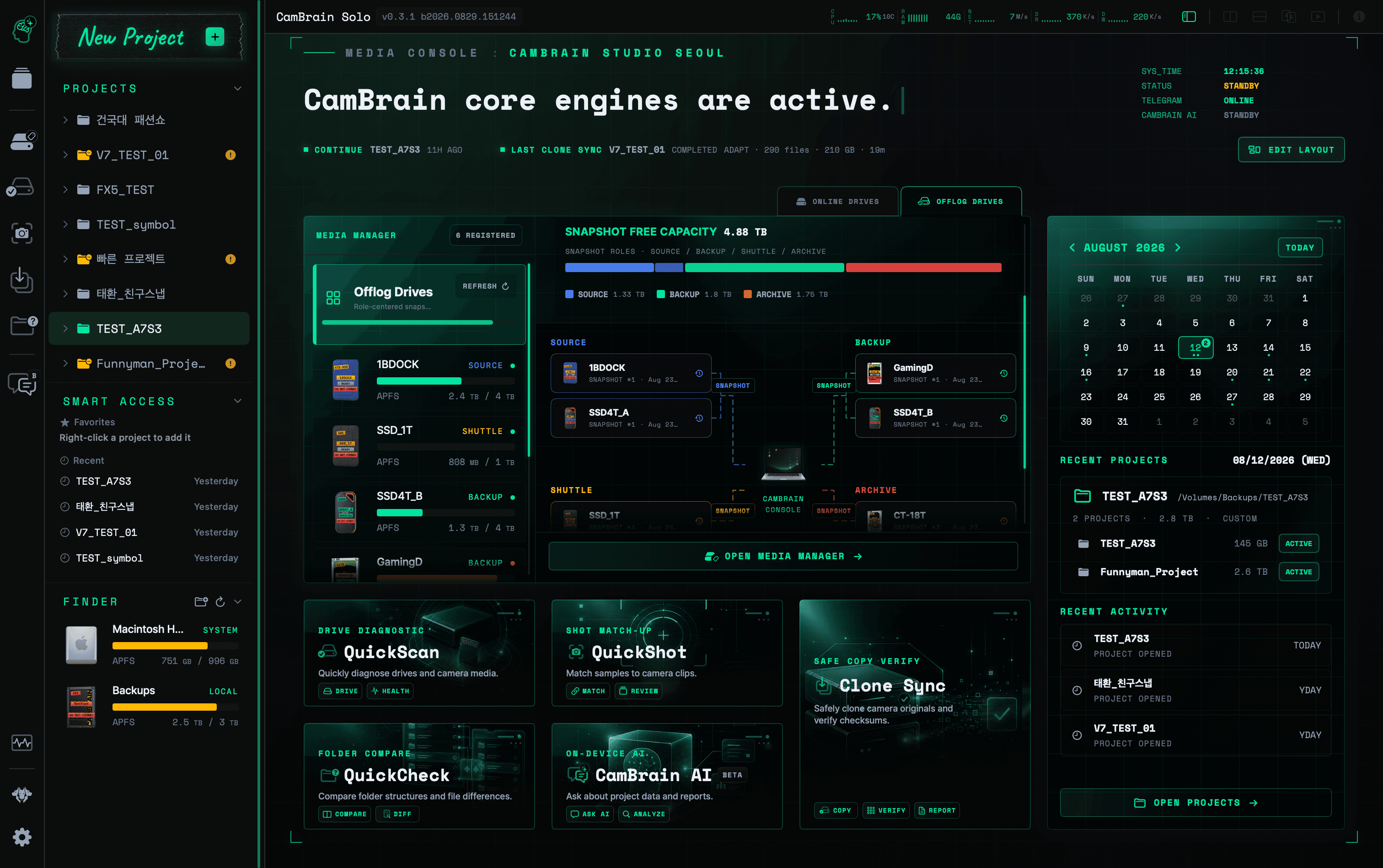
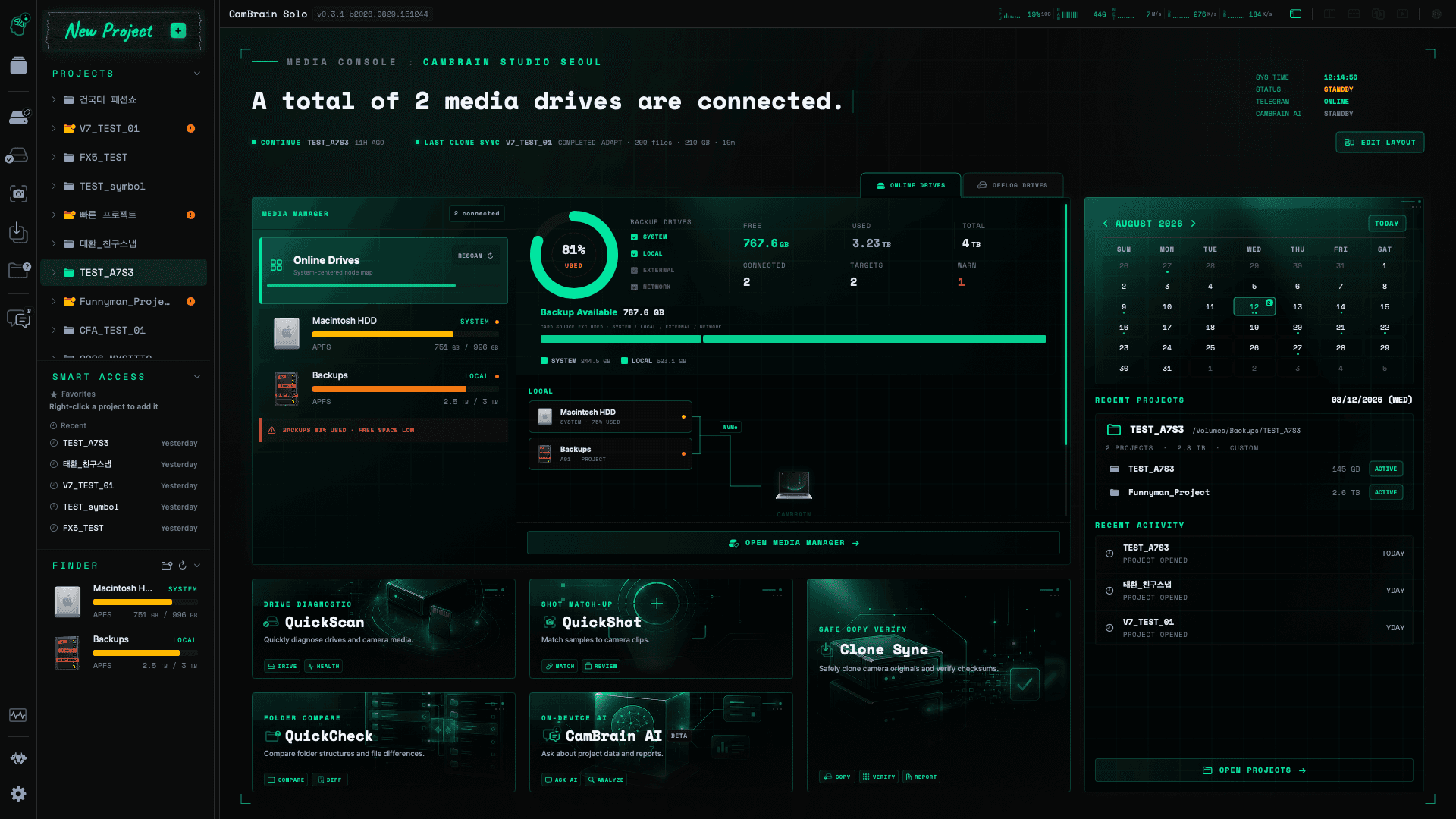
CamBrain Solo home dashboard showing connected Online Drives
ONLINE DRIVESLive media capacity, storage roles, projects, and field tools

HOME / MEDIA CONSOLE

One console for online and offlog media.

The CamBrain Solo home screen changes with the media state while keeping projects, capacity, recent activity, and field tools in one operational view.

01 / ACTIVE MEDIA

Online Drives

Connected storage, free capacity, and backup availability.

02 / REGISTERED MEDIA

Offlog Drives

Role-based snapshots across source, backup, shuttle, and archive media.

CAMBRAIN SOLO / HOMEOFFLOG DRIVES
CamBrain Solo Offlog Drives dashboard showing role-based media snapshots
ROLE-CENTERED SNAPSHOTSSOURCE · BACKUP · SHUTTLE · ARCHIVE
01OFFICIAL COMPANY

OPERATING FROM SEOUL, REPUBLIC OF KOREA

A professional DIT house and software company, built from field operations.

CAMBRAIN inc. is a Professional DIT House & Media Workflow Software Company. We redesign professional field workflows for solo video creators and media creators who need to prepare, protect, review, organize, verify, and hand off their own media.

Legal entity
CAMBRAIN inc.
주식회사 캠브레인
Entity type
Corporation
Republic of Korea
Headquarters
6/F, 602 Yeongdong-daero, Gangnam-gu, Seoul 06083, Republic of Korea
서울특별시 강남구 영동대로 602, 6층, 06083
Business registration
220-88-75423
Official website
cambrain.app
Company contact
contact@cambrain.app
02PROJECT LIBRARY

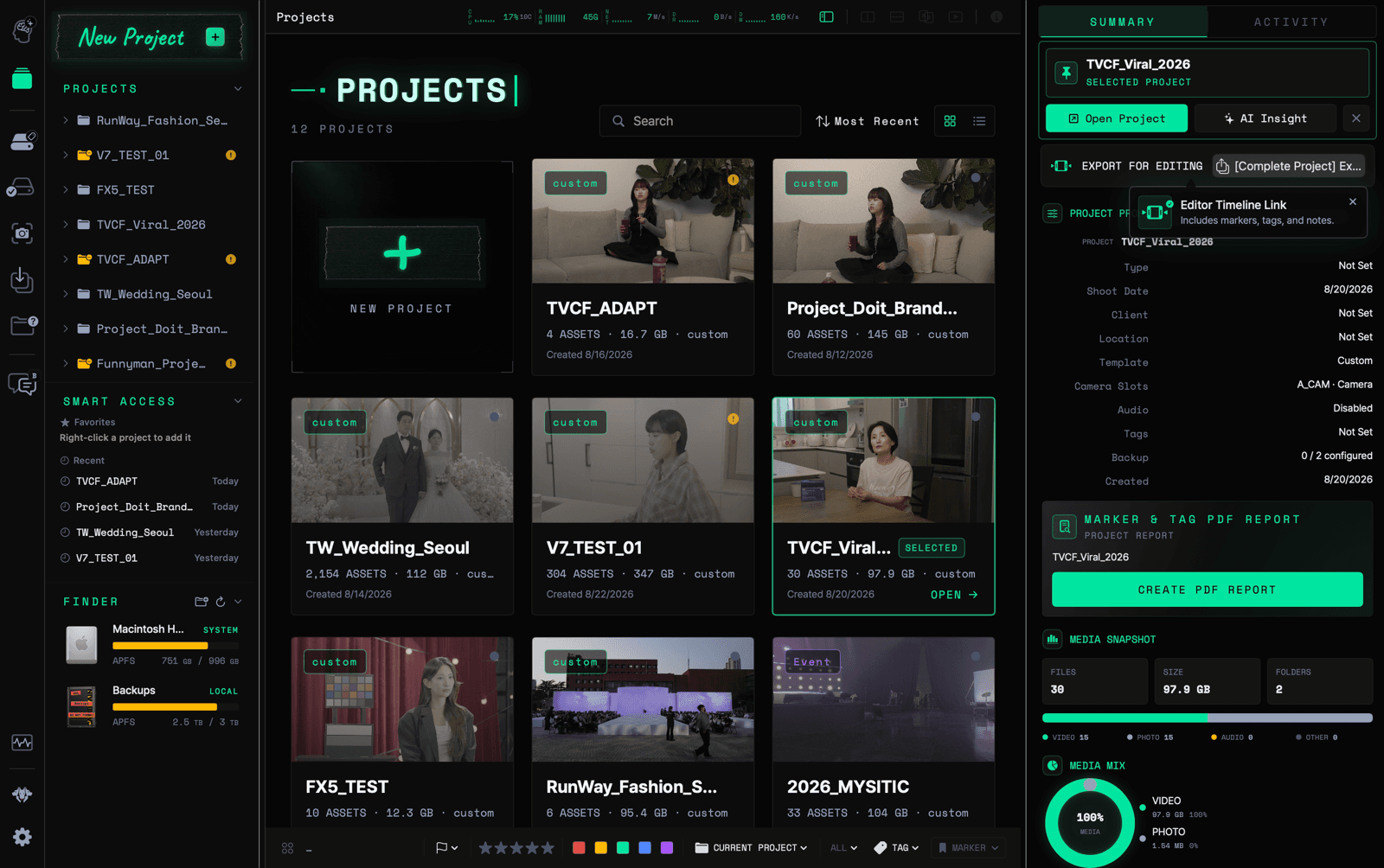
Project Library

Move from a production-wide project view into the media that needs attention, with project status and operational context visible before opening a workspace.

  • Scan project thumbnails, media totals, and activity
  • Review project profiles and backup readiness
  • Open the right production workspace without hunting through folders
PROJECT CONTEXT READY
PROJECT LIBRARYCAMBRAIN SOLO
CamBrain Solo Project Library with project cards and media summary
OPERATIONAL VIEWPROJECT CONTEXT READY
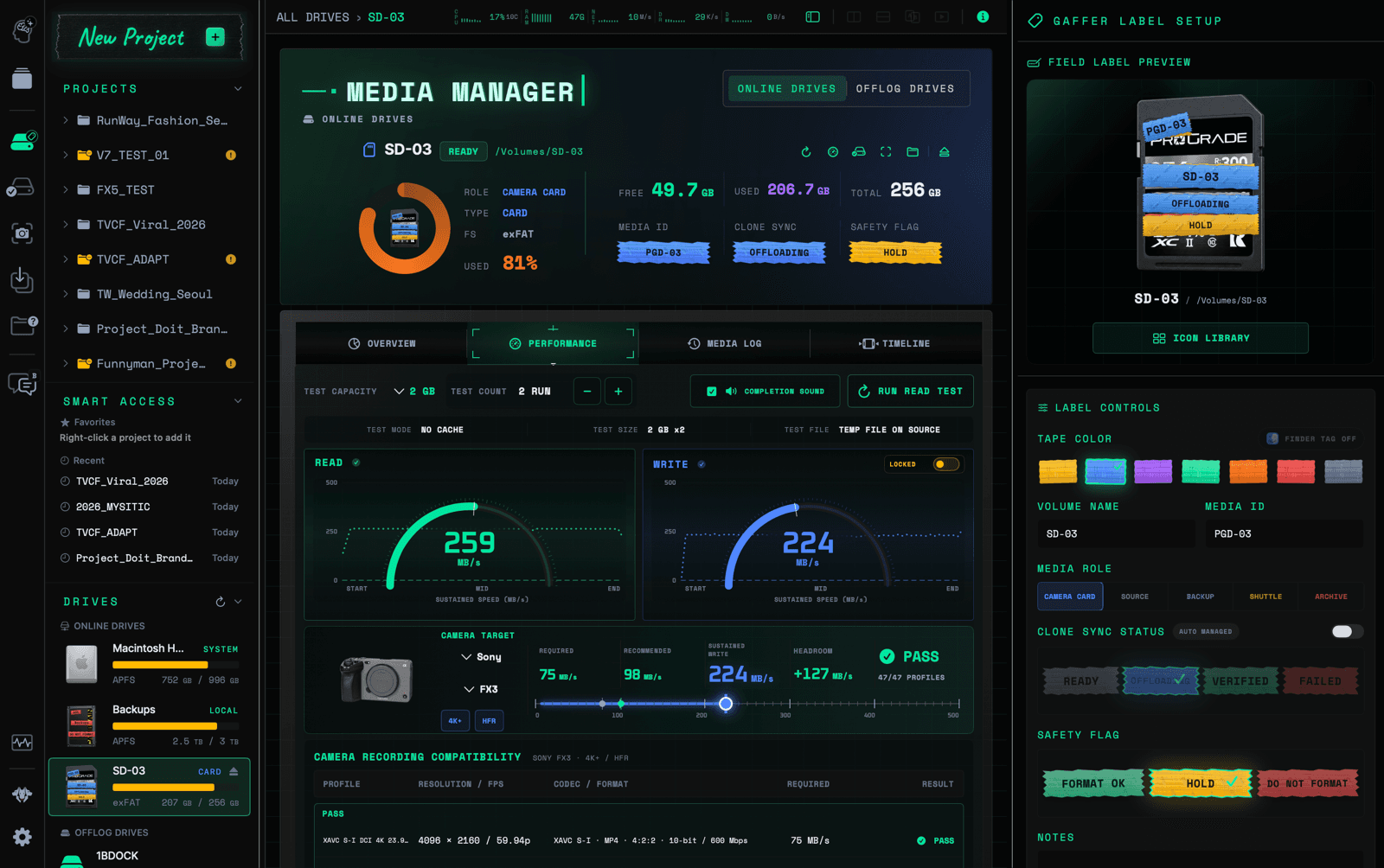
03MEDIA MANAGER

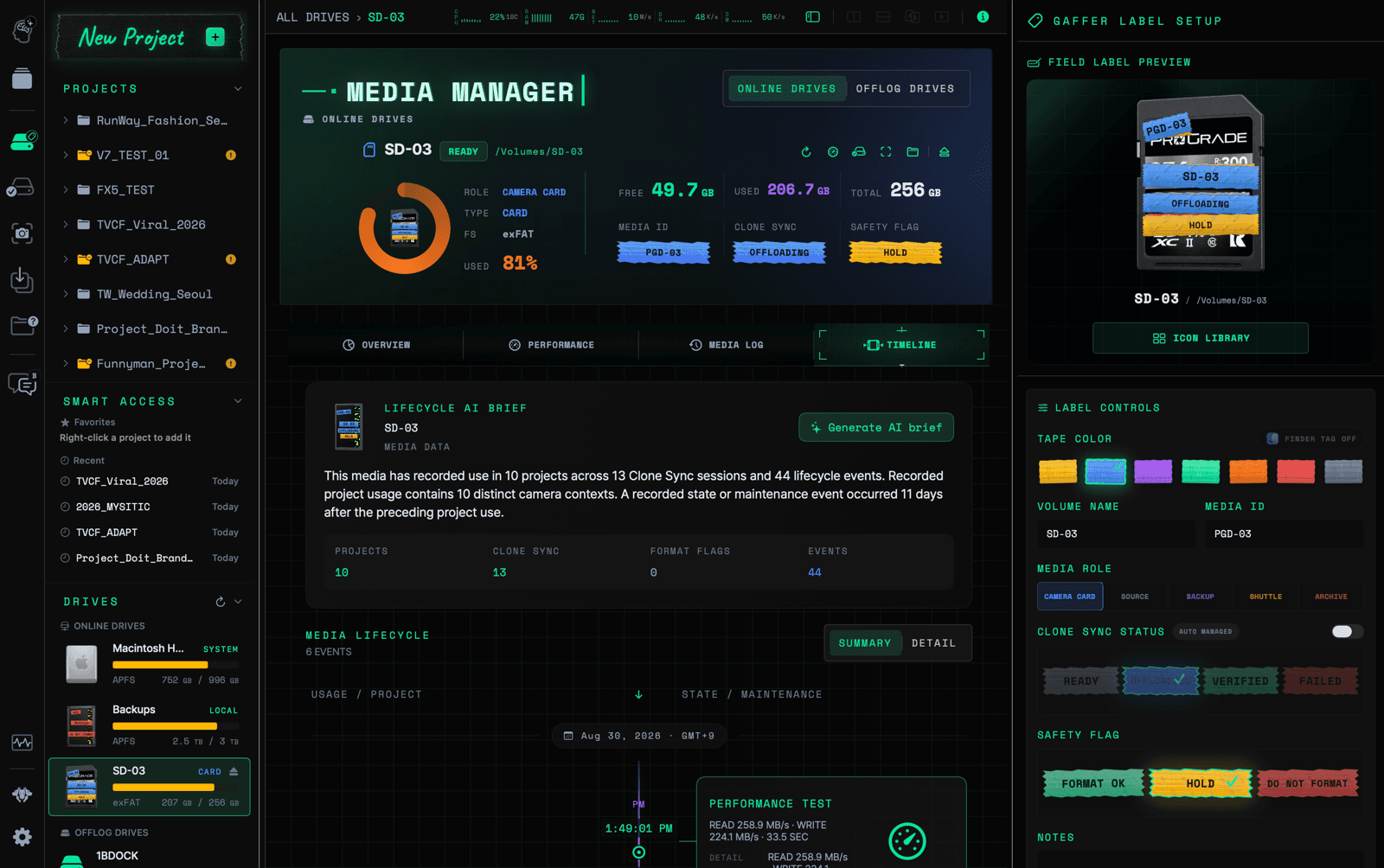
Media Manager

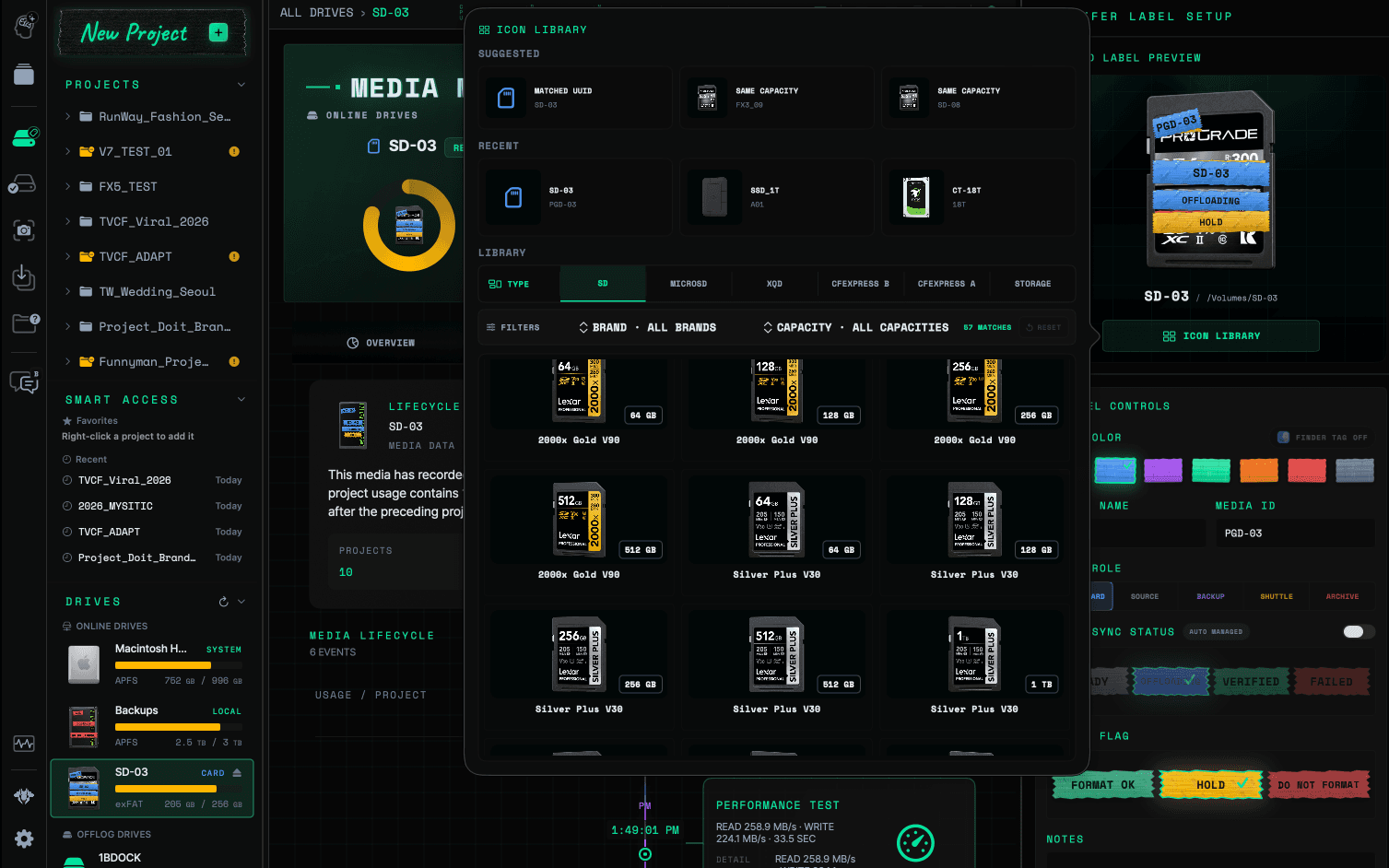
Keep media identity, role, transfer state, safety labels, performance evidence, and lifecycle history attached to every camera card and production drive.

  • See capacity, role, identity, and transfer state together
  • Apply production-ready gaffer labels and managed media icons
  • Test sustained read performance against camera recording needs
IDENTIFY · LABEL · TRACK
MEDIA MANAGERCAMBRAIN SOLO
OPERATIONAL VIEWIDENTIFY · LABEL · TRACK
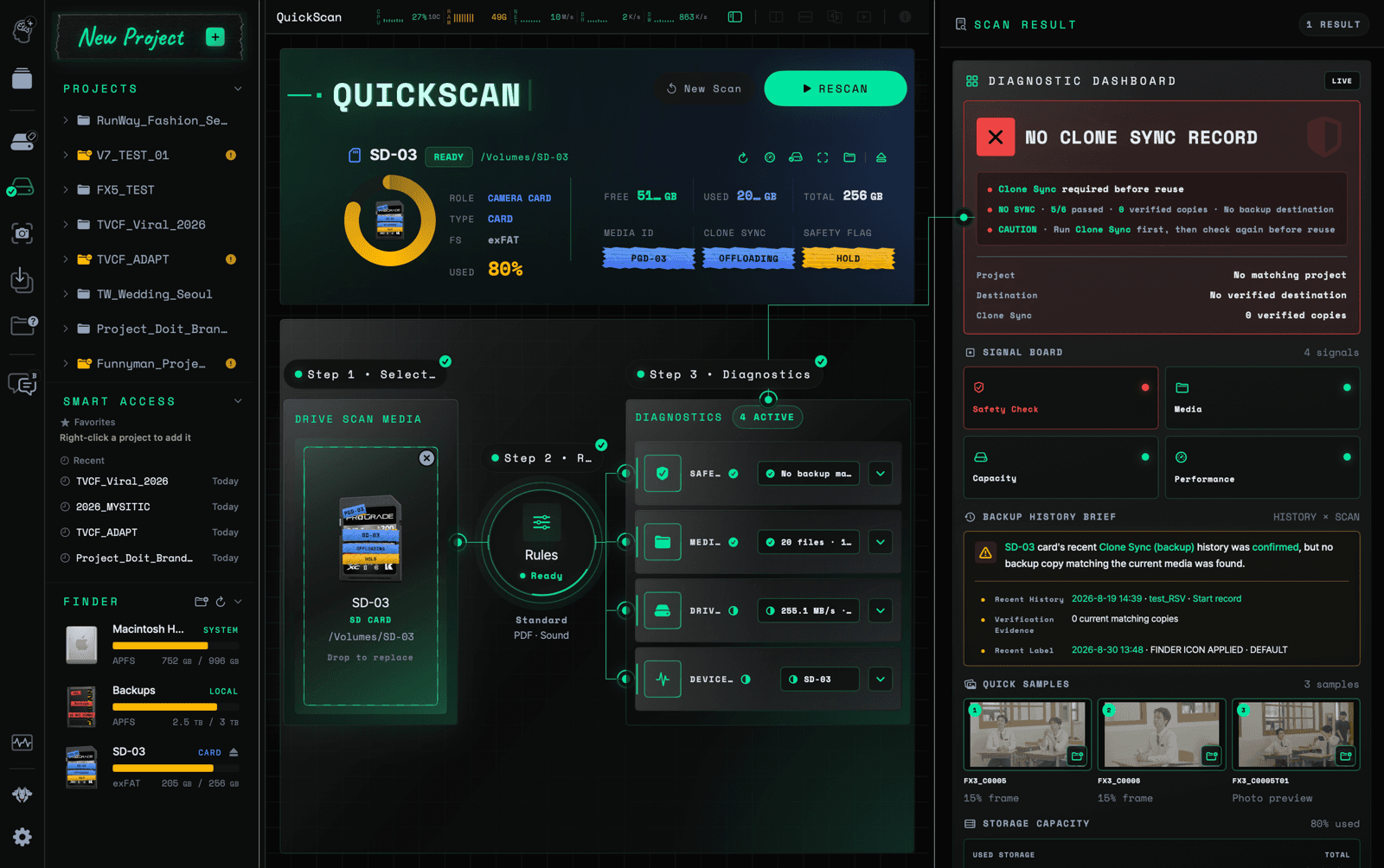
04QUICKSCAN

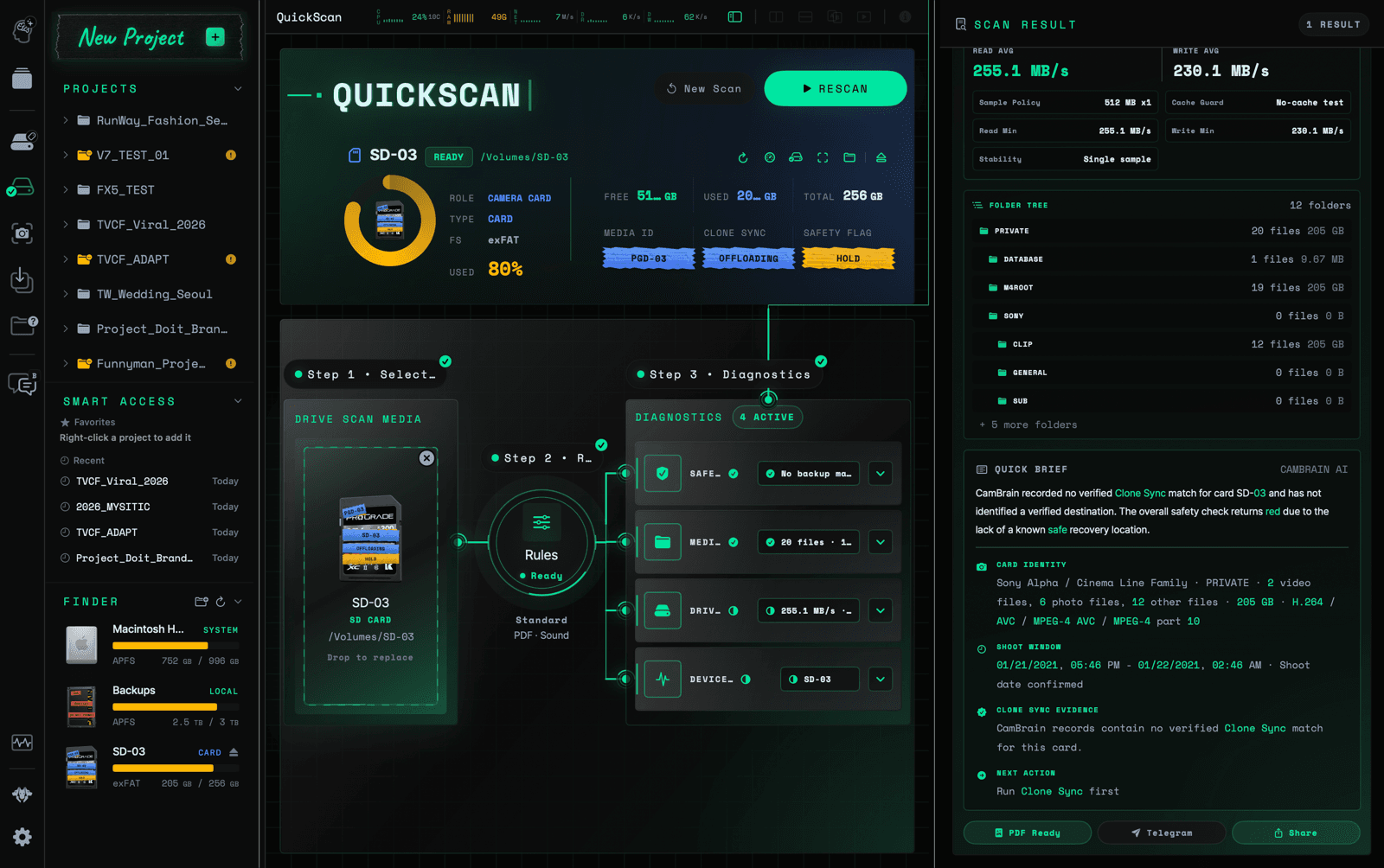
QuickScan

Inspect a camera card or drive before reuse, with media, capacity, performance, and copy-safety signals presented in one diagnostic workspace.

  • Classify camera media and inspect its folder tree and capacity
  • Check sustained read performance and recording compatibility
  • Surface missing Clone Sync evidence before the media is reused
SCAN · DIAGNOSE · REPORT
QUICKSCANCAMBRAIN SOLO
OPERATIONAL VIEWSCAN · DIAGNOSE · REPORT
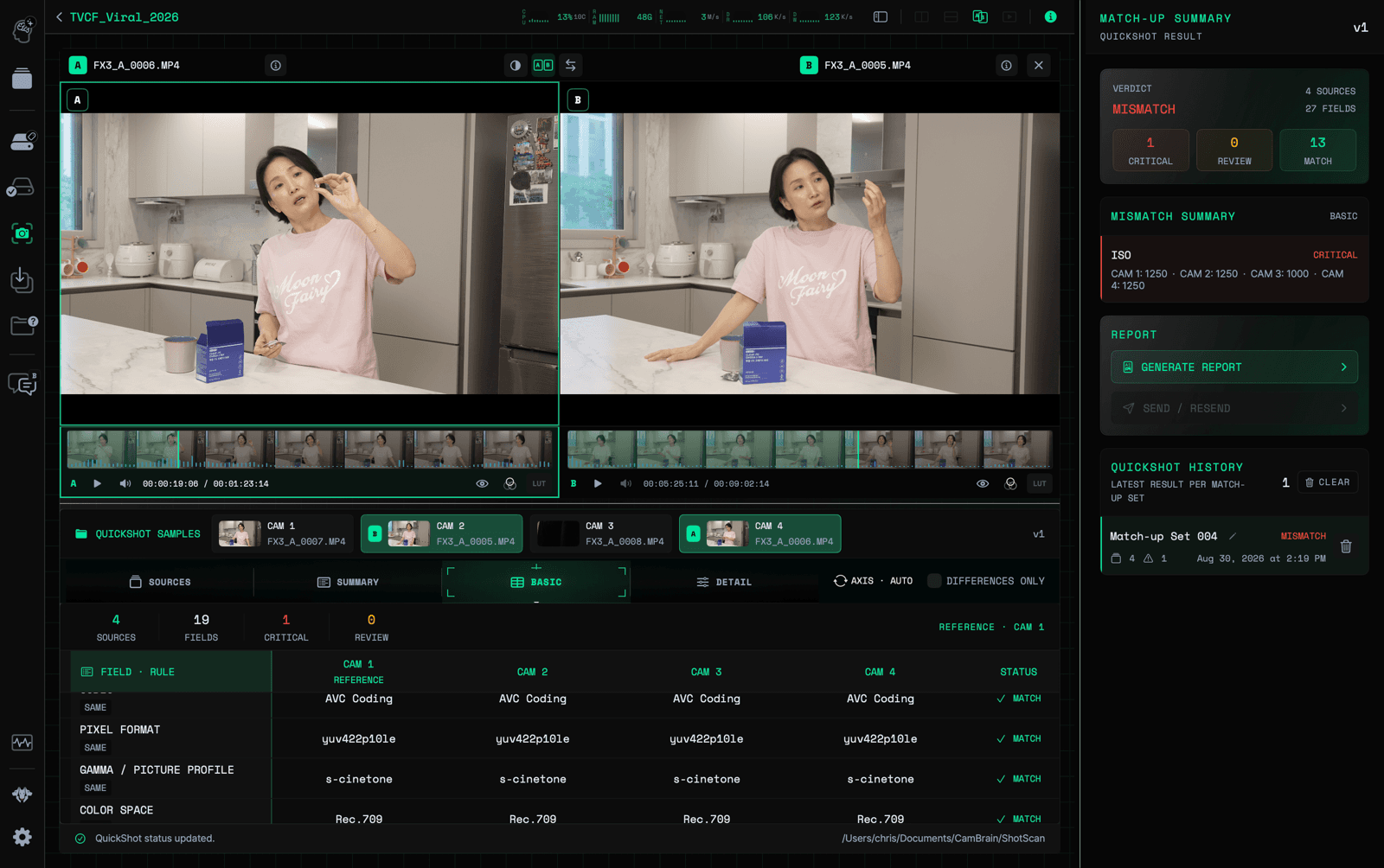
05QUICKSHOT

QuickShot

Bring final camera test shots and selected clips into one Match-up Set, compare recorded metadata, and surface differences before the next take.

  • Compare Camera vs Camera, Camera vs Clip, or Clip vs Clip
  • Review codec, pixel format, gamma, color space, and capture fields
  • Generate a clear Match-up report without changing the source media
MULTI-CAMERA MATCH-UP READY
QUICKSHOTCAMBRAIN SOLO
CamBrain Solo QuickShot comparing four camera samples and reporting a metadata mismatch
OPERATIONAL VIEWMULTI-CAMERA MATCH-UP READY
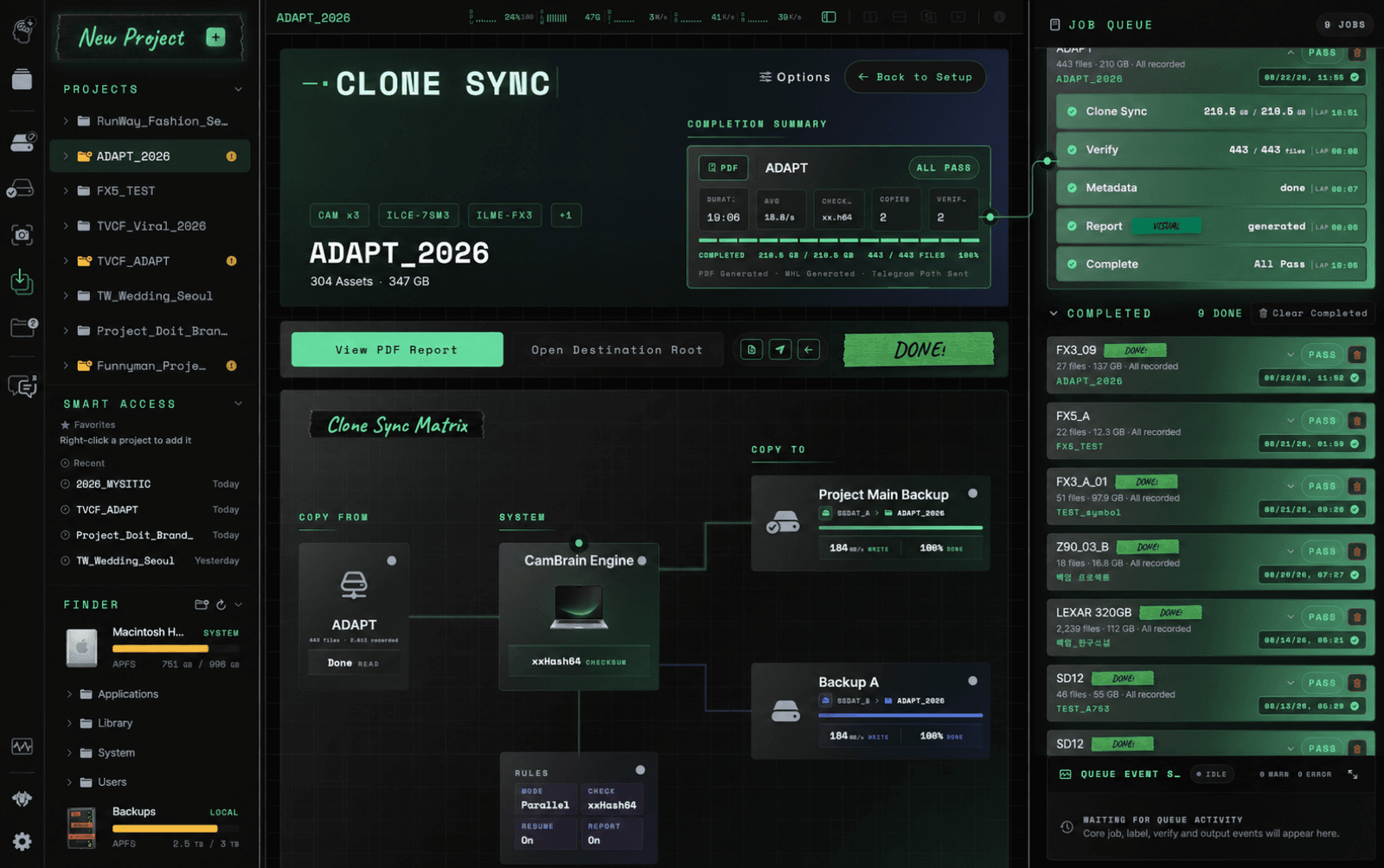
06CLONE SYNC

Clone Sync

Connect source media, parallel destinations, checksum verification, metadata, and reporting in one completed job record built for production handoff.

  • See source and destination relationships in a clear copy matrix
  • Verify every recorded copy with xxHash64 checksums
  • Generate completion reports and retain the job queue history
COPY · VERIFY · REPORT · PASS
CLONE SYNCCAMBRAIN SOLO
CamBrain Solo Clone Sync completion screen with verified copies and job queue
OPERATIONAL VIEWCOPY · VERIFY · REPORT · PASS
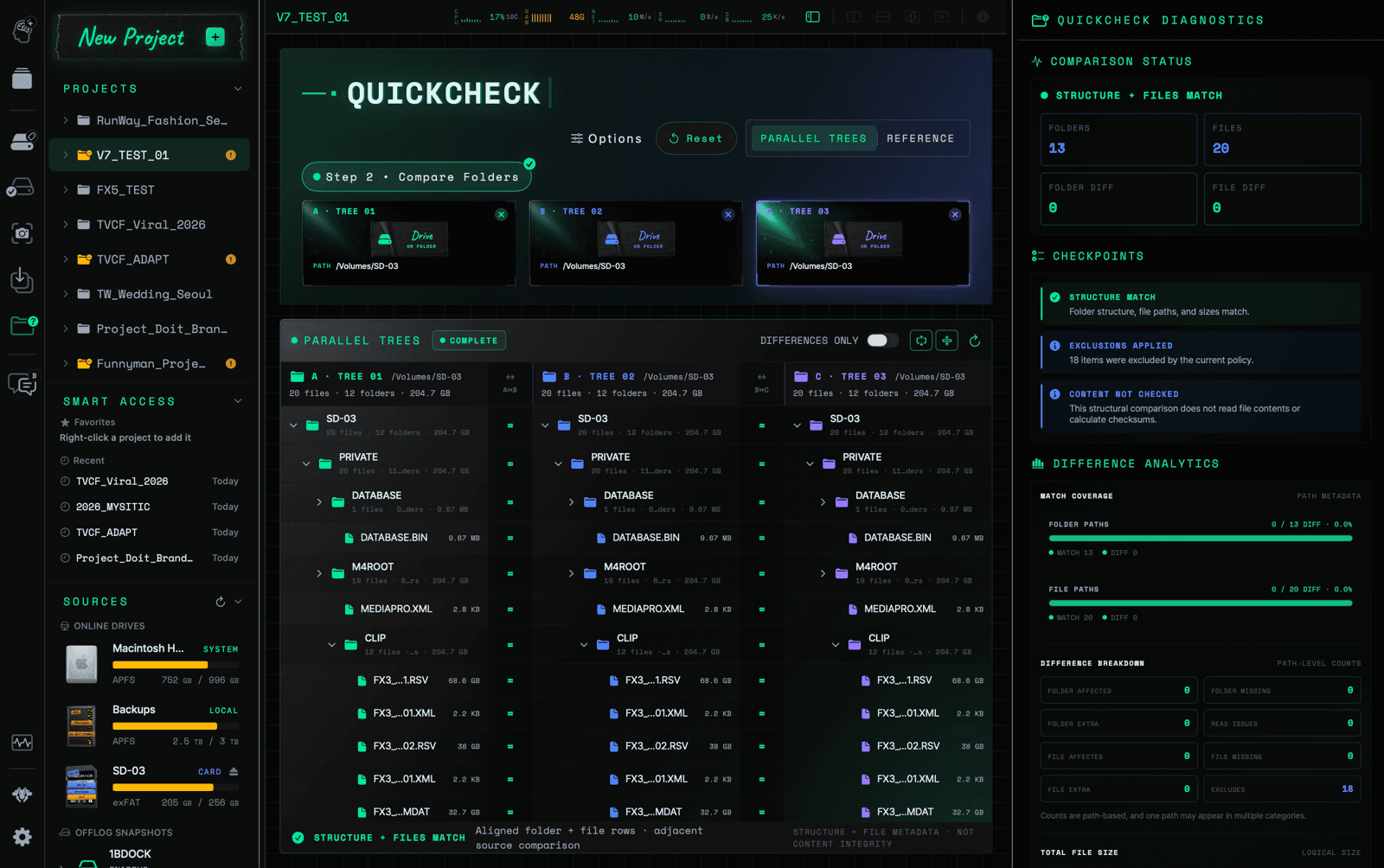
07QUICKCHECK

QuickCheck

Compare up to three folders or drives as aligned read-only trees to confirm structure, paths, file counts, and sizes without changing the media.

  • Align A, B, and C folder and file trees in one scrollable view
  • Trace missing, extra, and path-level structural differences
  • Keep structural comparison distinct from checksum verification
STRUCTURE + FILES MATCH
QUICKCHECKCAMBRAIN SOLO
CamBrain Solo QuickCheck comparing three folder trees with matching structure and files
OPERATIONAL VIEWSTRUCTURE + FILES MATCH
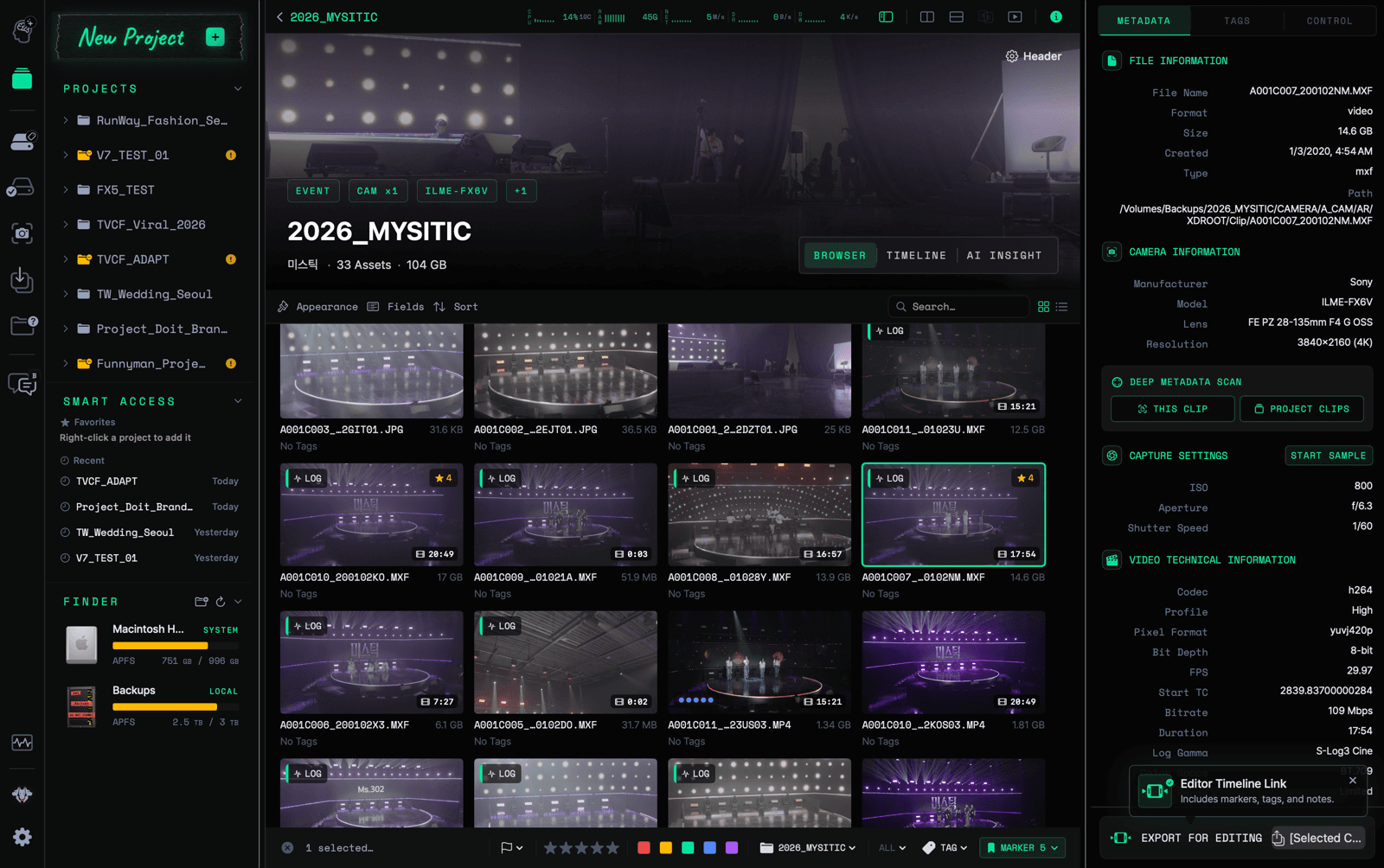
08BROWSER & METADATA

Browser & Metadata

Browse production media visually while technical metadata, camera information, capture settings, and file details stay connected to the selected asset.

  • Review stills, clips, ratings, tags, and durations together
  • Inspect camera and technical metadata beside the media
  • Keep asset selection and operational detail in one workspace
MEDIA CONTEXT CONNECTED
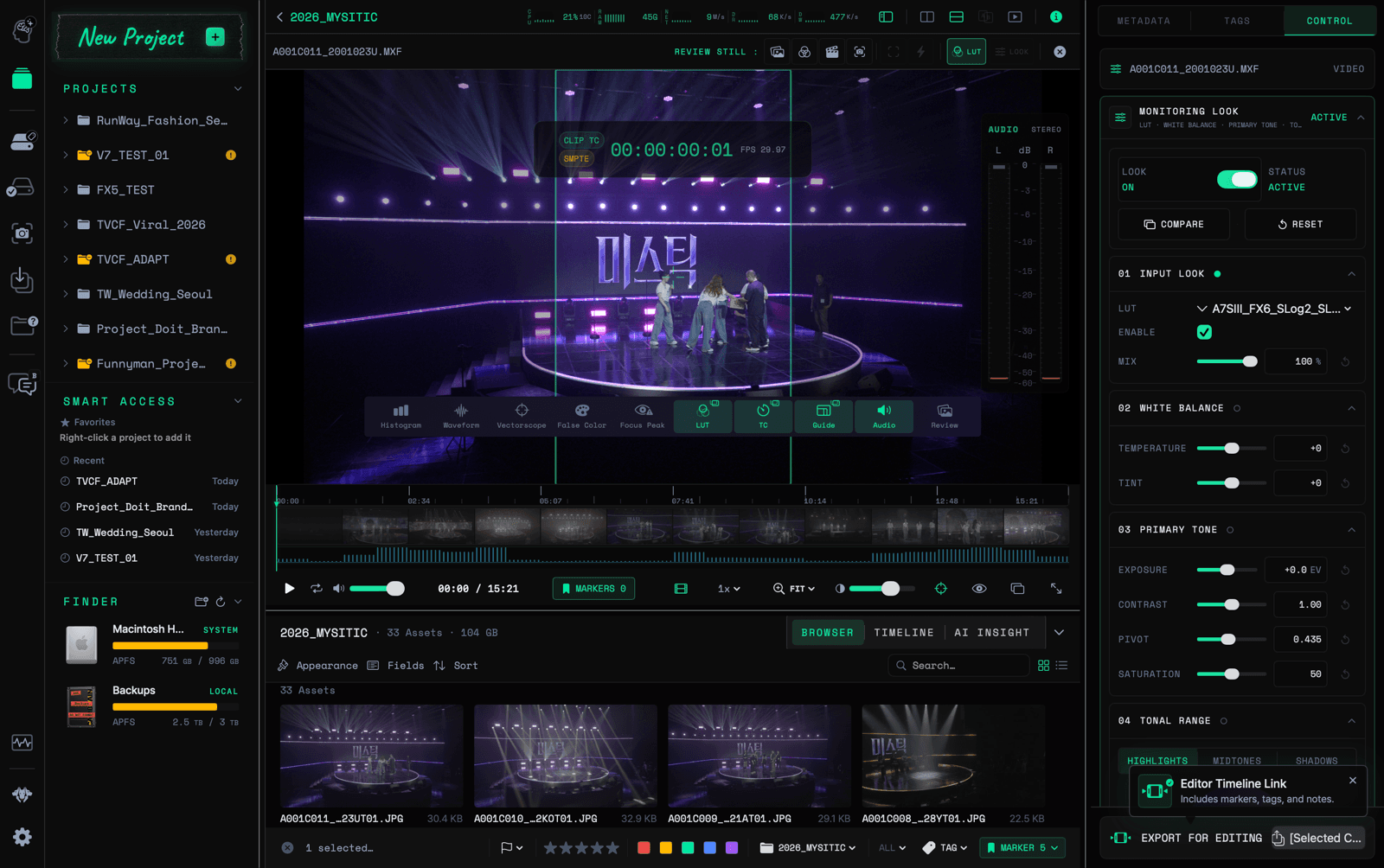
09REVIEW & MONITOR

Review & Monitor

Review footage with timecode, guides, audio, monitoring looks, and clip controls visible around the image so technical and editorial decisions stay grounded in the media.

  • Inspect footage with timecode, guides, LUT, and audio controls
  • Move between timeline moments and browser assets
  • Keep monitoring adjustments and clip context together
REVIEW CONTEXT ATTACHED
REVIEW & MONITORCAMBRAIN SOLO
CamBrain Solo review monitor with timecode, LUT, audio, and clip controls
OPERATIONAL VIEWREVIEW CONTEXT ATTACHED
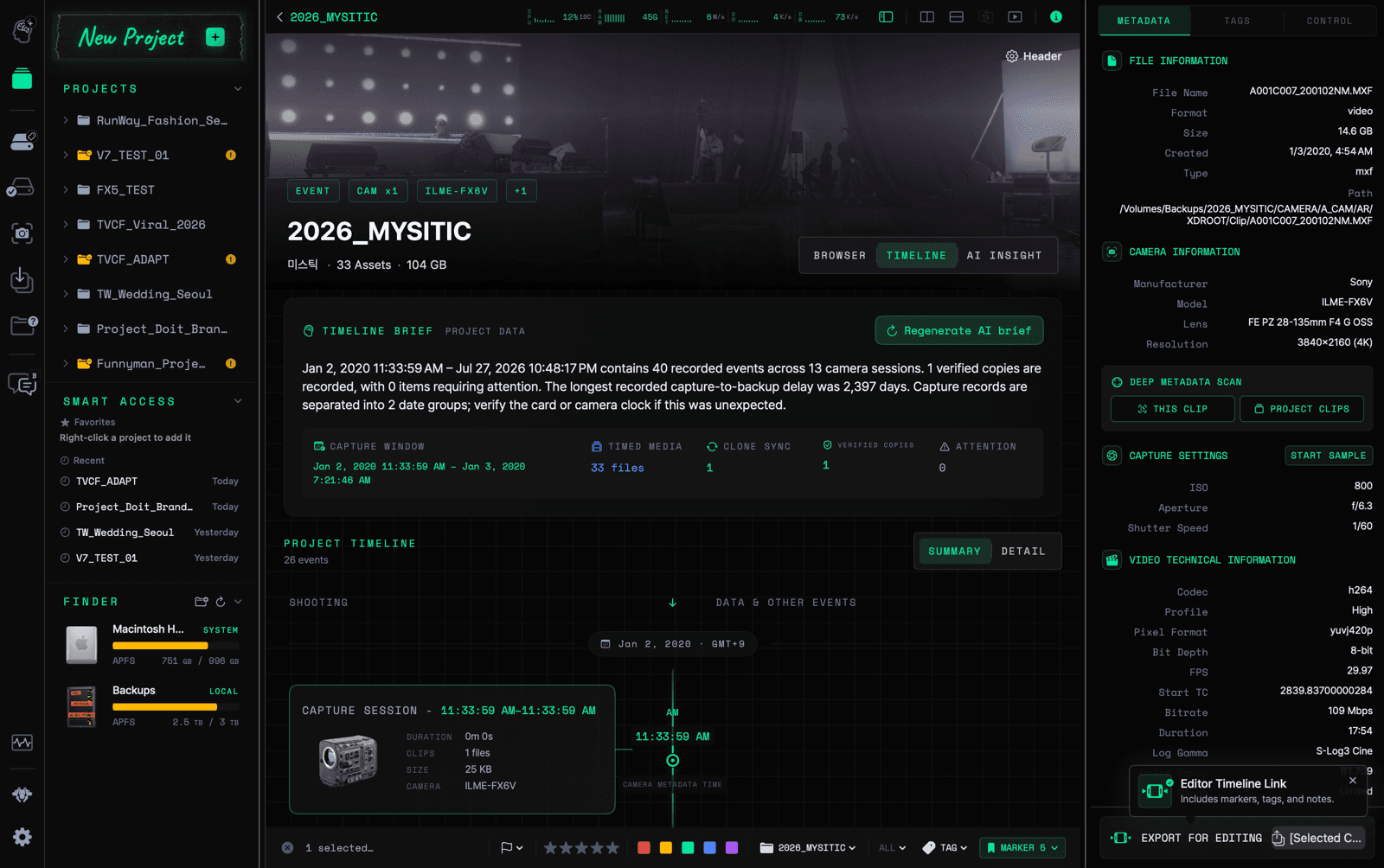
10TIMELINE BRIEF

Timeline Brief

Turn capture times, camera sessions, shooting gaps, and verified copies into a chronological production record that is easier to audit and hand off.

  • See the capture window and timed media at a glance
  • Trace camera sessions and gaps across the shoot
  • Keep copy status attached to the production timeline
CAPTURE HISTORY READY
TIMELINE BRIEFCAMBRAIN SOLO
CamBrain Solo Timeline Brief with capture sessions and verified copy summary
OPERATIONAL VIEWCAPTURE HISTORY READY
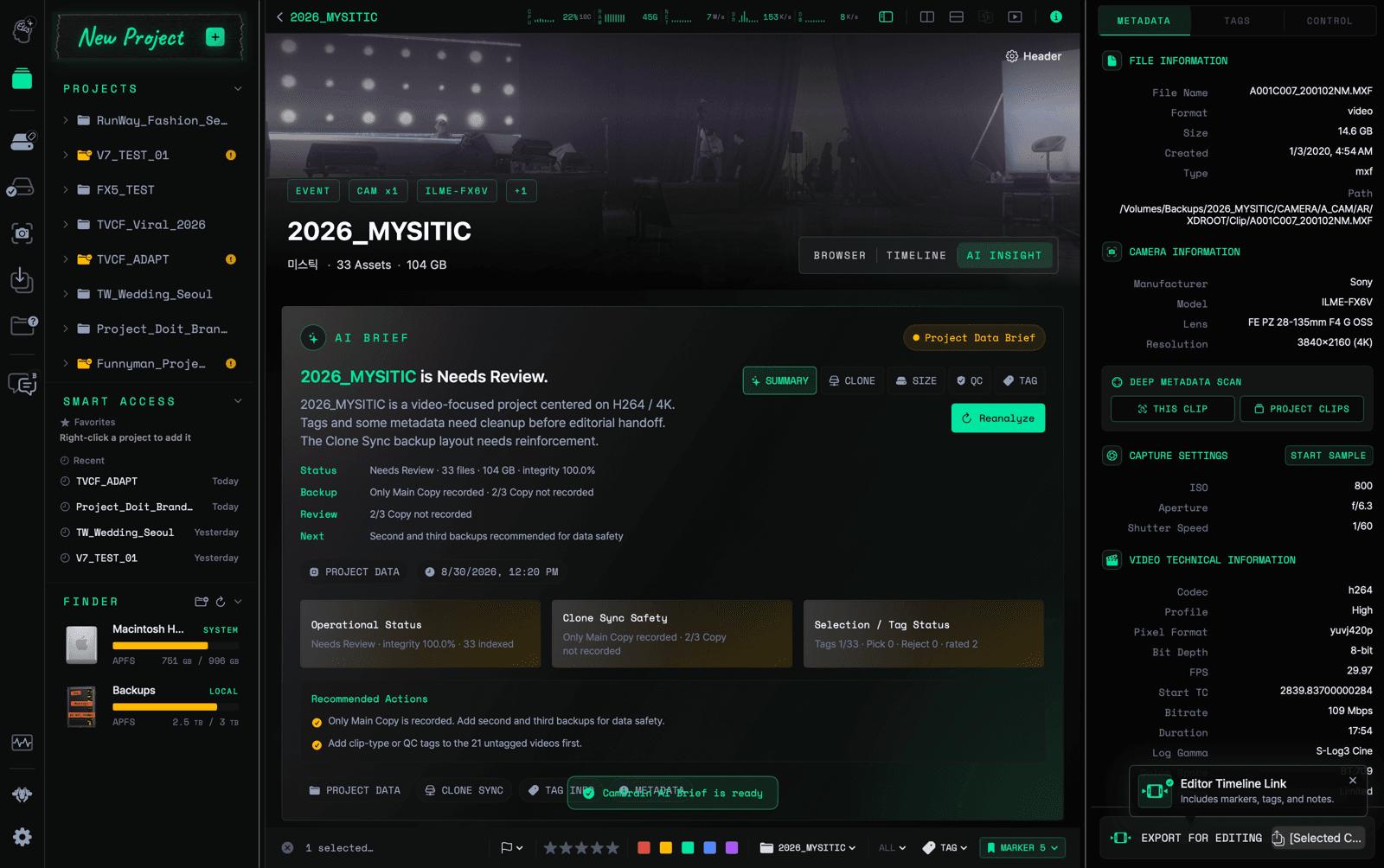
11AI BRIEF

AI Brief

Summarize project health, backup gaps, review status, and recommended next actions from registered project data while keeping the operator in control.

  • Surface operational status and integrity at a glance
  • Identify missing copies and review work before handoff
  • Use AI as an evidence-based production assistant
PROJECT DATA BRIEF READY
AI BRIEFCAMBRAIN SOLO
CamBrain Solo AI Brief showing project status and recommended actions
OPERATIONAL VIEWPROJECT DATA BRIEF READY
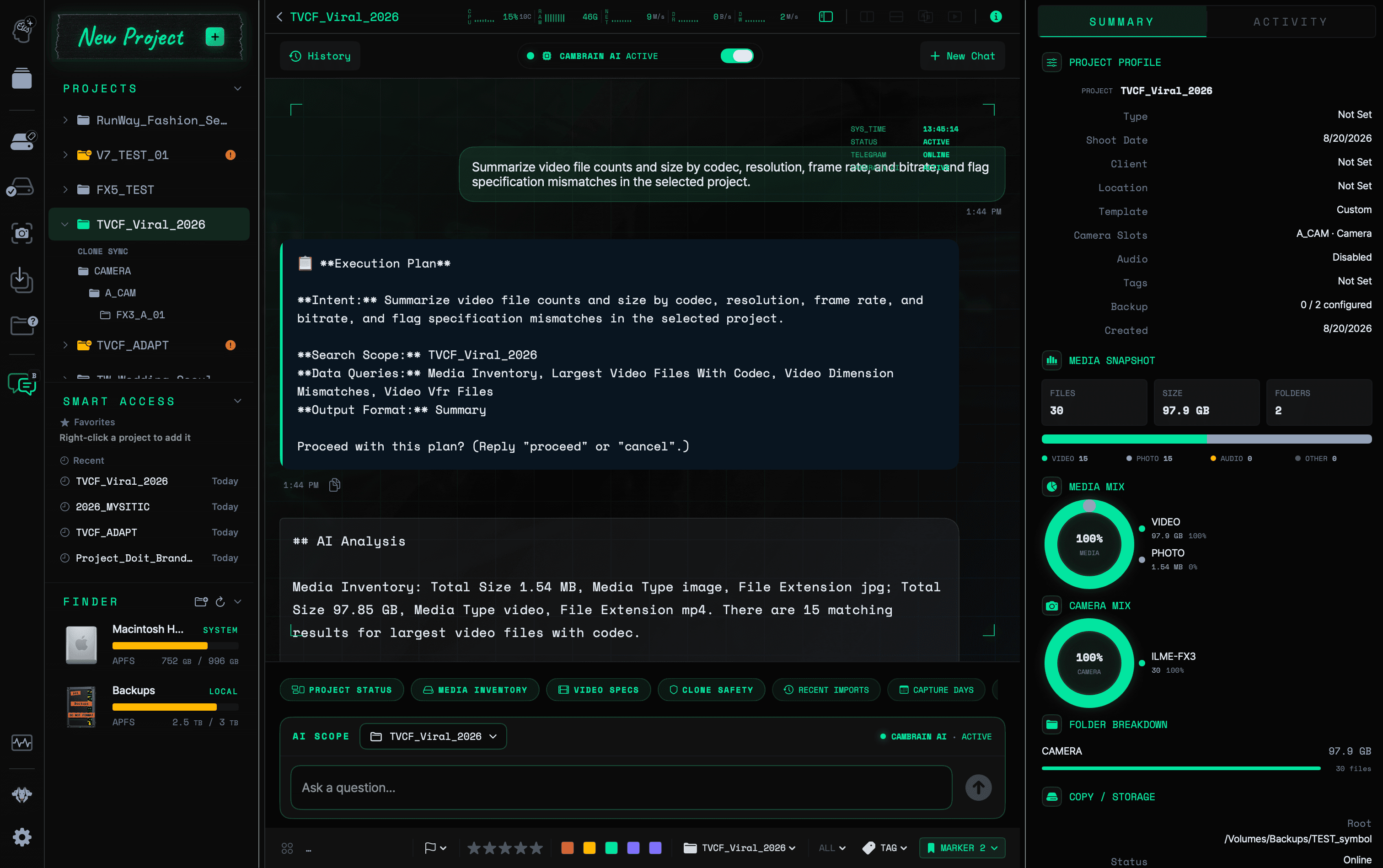
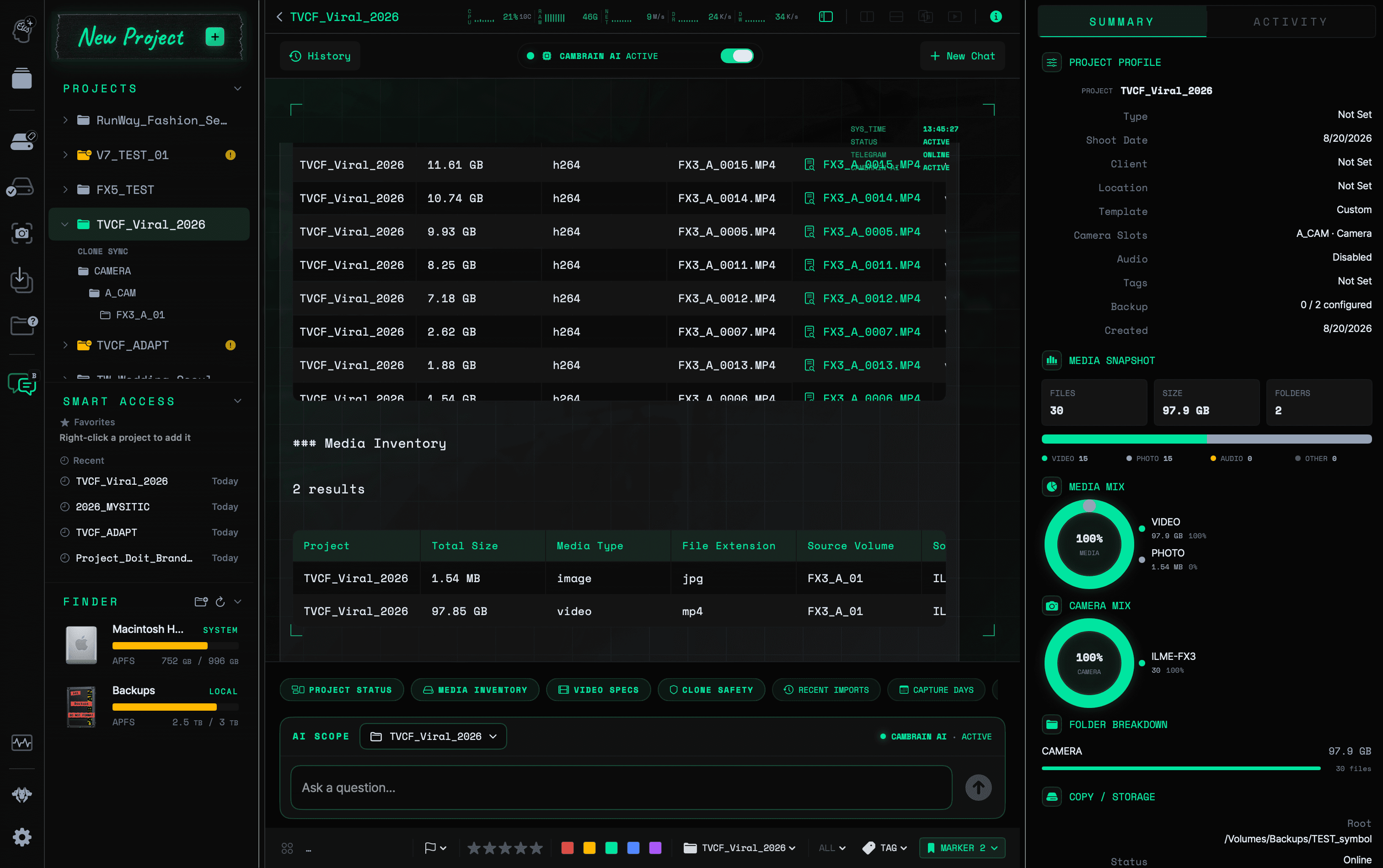
12CAMBRAIN AI ASSIST

CamBrain AI Assist

Ask project-scoped questions about media inventory, video specifications, copy safety, and recent imports, then review the execution plan and evidence behind the answer.

  • Keep each question constrained to the selected project scope
  • Review the execution plan before project data is analyzed
  • Turn read-only evidence into clear operational answers
PROJECT AI · ACTIVE
CAMBRAIN AI ASSISTCAMBRAIN SOLO
OPERATIONAL VIEWPROJECT AI · ACTIVE
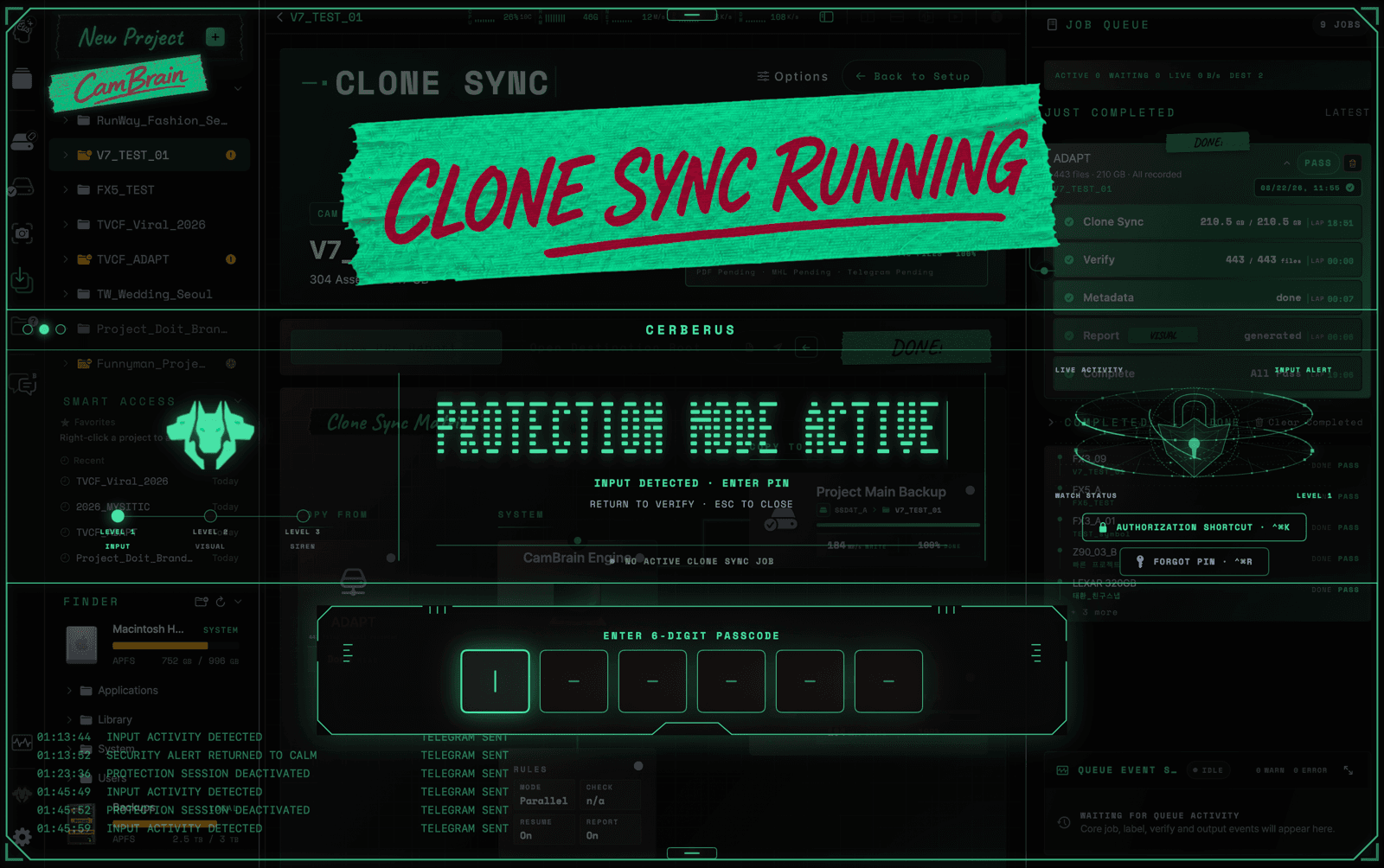
13CERBERUS PROTECTION MODE

CERBERUS Protection Mode

Keep active media work visible and running while a transparent protection layer detects unexpected input or equipment changes and escalates field alerts.

  • Detect keyboard, pointer, trackpad, and gesture activity
  • Escalate repeated input and critical device or power changes
  • Return control to the operator with a local six-digit PIN
PROTECTION MODE ACTIVE
CERBERUS PROTECTION MODECAMBRAIN SOLO
CamBrain Solo CERBERUS Protection Mode detecting input during an active Clone Sync job
OPERATIONAL VIEWPROTECTION MODE ACTIVE
CamBrain Solo Clone Sync completion screen with verified copies and report statusCAMBRAIN SOLO · CLONE SYNC
14FIELD-BORN

BUILT ON SET, NOT IN THE ABSTRACT

A company shaped by the realities of production.

CAMBRAIN grew from 15 years of professional DIT and cinematography technology experience, plus five years developing and operating its predecessor solution in real production environments.

15 yrs
Professional DIT and cinematography technology experience
5 yrs
Predecessor solution development and field operation

Deep professional capability.
Clearer field operations.

LOCAL-FIRST

Designed for work that continues when connectivity cannot.

CamBrain Solo centers the native macOS environment for field operations.

macOS · APPLE SILICON

A native console that moves with the production kit.

Purpose-built for a consistent operational flow on Apple Silicon.

ONE OPERATIONAL THREAD

01
COPY → VERIFY → REPORT
02
REVIEW → MARK → HANDOFF
03
SEARCH → EVIDENCE → DECIDE

CAMBRAIN SOLO · PRICING

A special price for those who start first.

Start CamBrain Solo on better terms with the 2026 Founding offer.

Payments on this site are exclusively for CamBrain Solo app licenses: monthly subscriptions, annual subscriptions and perpetual licenses. DIT services, on-site work and consulting are not included.
Public sales are being prepared for October 1, 2026. Inquiries do not place an order or charge you. For Apple Silicon Macs running macOS 15 or later.

2026 FOUNDING OFFER

$14.90/ month

2026 Founding eligibility price

$149/ 12 months

Official monthly $19.90Official 12-month $199
Ask about Founding eligibility

STANDARD OPTIONS

One CamBrain Solo. Three ways to use it.

Choose the term that fits your work. Product capability stays the same.

Perpetual License

$499one-time

Eligible launch benefit · 24 months of updates & support

2 Macs

Ask about this option

Before you choose

After the initial 30-day trial, monthly subscriptions renew automatically unless canceled. Your eligible monthly rate: Standard $19.90 · Founding $14.90 · Community $9.90.

Annual subscriptions are billed upfront for 12 months and renew every 12 months. The saving equals two regular monthly payments, not extra free time.

All purchases are subject to Paddle’s Refund Policy and applicable consumer rights. Separately, CamBrain offers an additional 30-day money-back guarantee on the initial paid-trial charge. This additional benefit does not restrict refund rights for any other purchase.

Perpetual: 12 months of updates and support; qualifying launch purchases and eligible 2026 Founding/Community conversions receive 24 months. The last eligible version remains usable permanently. Optional additional 12 months: $59; no automatic renewal.

Local taxes may be added to USD prices; the final total is shown before payment.

Refund Policy

Subscription · 1 Mac
Perpetual license · 2 Macs
Up to 15 days offline
Pricing & License Policy

CONTACT / CAMBRAIN INC.

Talk to the company behind CamBrain Solo.

For company, product, or professional media workflow inquiries.

Direct to CAMBRAIN: contact@cambrain.app

We use the information you provide only to review and respond to your inquiry.

Message received

Your message has been sent. CAMBRAIN will follow up by email.