 All stories
On-set notes
Write short, precise notes for the editor
Record the file, frame, and reason instead of “check here.” Examples for passing on decisions made on set.
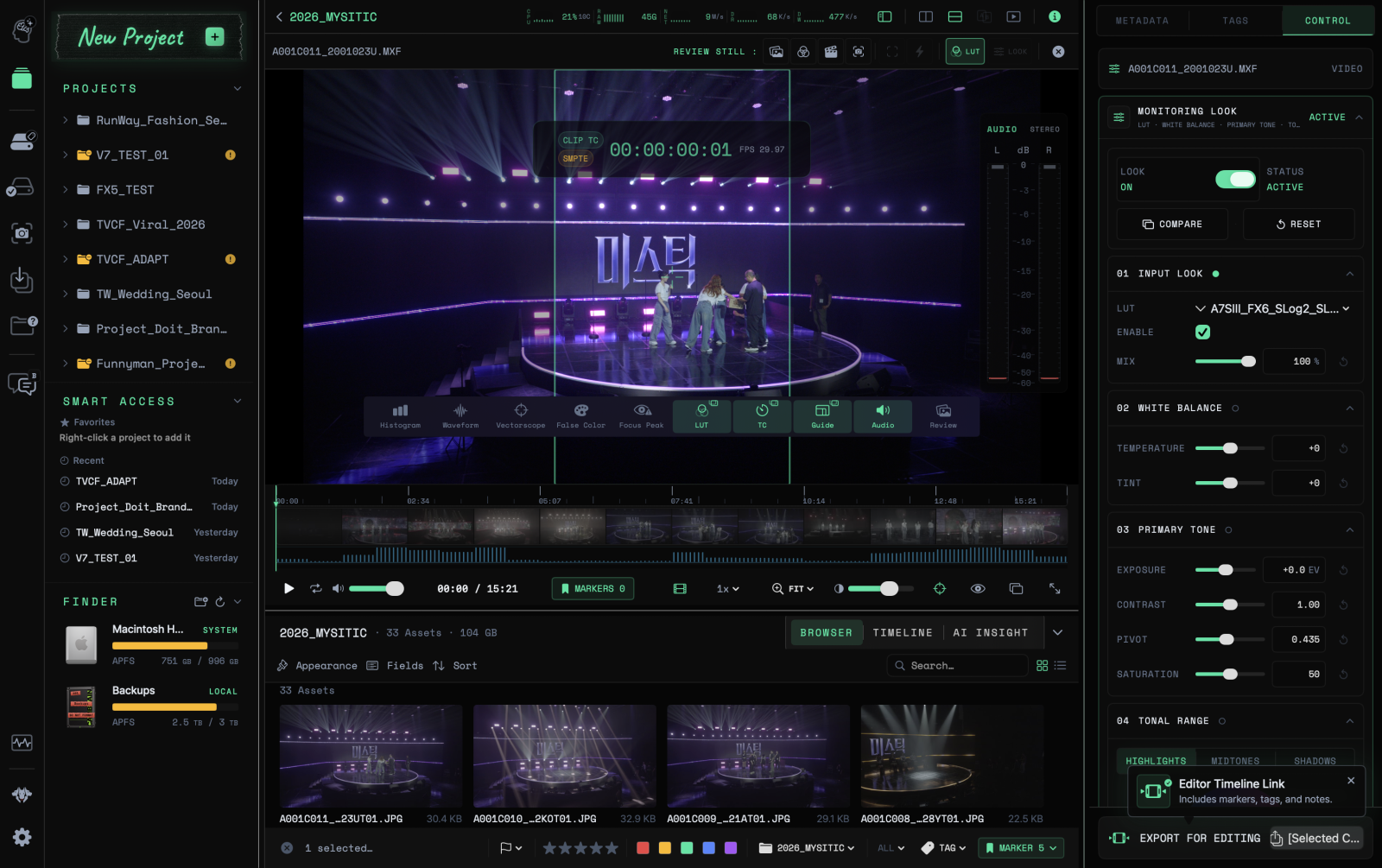
Reference product image · Actual screens may vary by app version.
This is sample content. The product version and actual workflow will be reviewed before publication.
Make the next action clear
An editor receiving only “needs checking” may have to watch the entire clip again. State which scene and what to check to narrow the search.
Separate observations from requests, as in “Review this take first” or “Check the boom shadow on the right of the frame.” These are fictional examples of how to write a note.
Attach a time and region
Use a point marker for the moment, and a region marker when a particular area matters. Marking a paused frame makes it easier to see which moment the note refers to.
Use tags and ratings to collect clips, and notes and markers to explain individual decisions. Agreeing on short expressions within the team can reduce differences in interpretation after handoff.
Choose an output for the recipient
Consider a Review Still for a quick explanation of one scene, or a Marker & Tag PDF to collect reviews of several clips. Review Still saves and copies as PNG, and converts to JPEG for Telegram photo delivery. It is for communication and does not replace original footage or final delivery images.
NLE handoff also requires checking the target app and export warnings. Use a sample clip to confirm that important notes appear after import before handing over the files.
 Review clips and add markers