
 All stories
Practical guides
What to check on a completed backup job
Destinations, verification modes, and exceptions: read the results before returning a card.
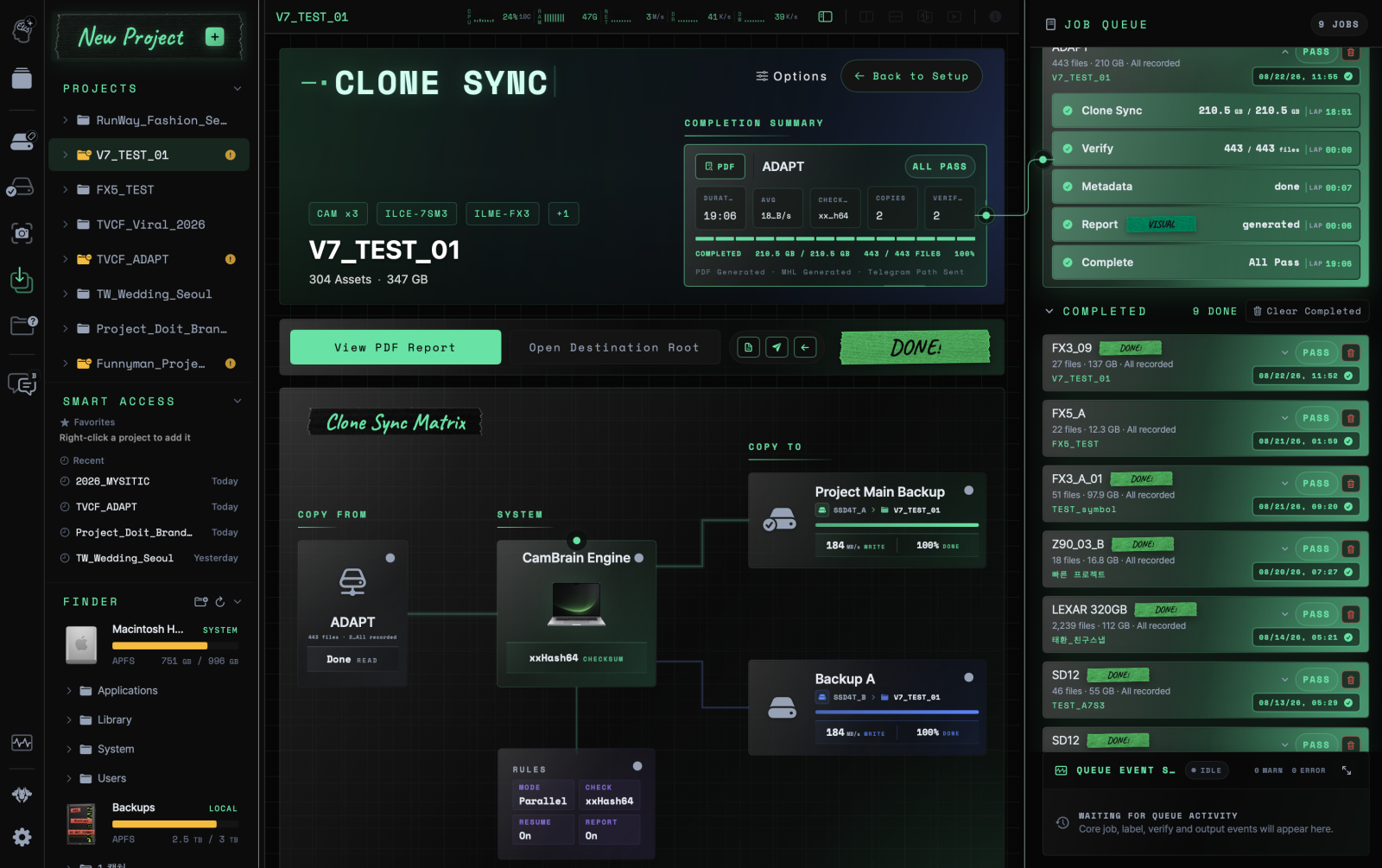
Reference product image · Actual screens may vary by app version.
This is sample content. The product version and actual workflow will be reviewed before publication.
Check destinations one by one
If you copied to several drives, check each destination’s result. Even when MAIN COPY is complete, another destination may still be verifying or may have an error.
Read the drive name, saved path, processed files, and exceptions together. Reconnect a disconnected destination and check the job status and whether it can resume.
Read what the verification mode covers
Fast Verify uses information calculated during transfer without rereading the whole destination. Source Re-read rereads the source and compares it with the transfer checksum. Full Read-back Verify rereads destination files and compares them with the source checksum calculated during transfer; it does not include an additional source reread.
QuickCheck is a separate tool that compares filenames and sizes. Record the tool and mode so matching folder structures are not interpreted as matching file contents.
Record exceptions and delivery status
Include excluded files, failed items, and warnings needing review in the handoff. Do not group successful and unfinished destinations under the same completion statement.
Check report generation and message delivery separately too. If a PDF exists but delivery failed, inspect the local file and retry the delivery step.
- Check copying and verification for each destination
- Record the verification mode and exceptions
- Open the report and check its contents
- Decide on card reuse using your on-set retention rules
 Copy with Clone Sync